Sales teams prospecting Indian companies face unique challenges: regional data quality variance, high contact decay rates, and verification methods optimized for Western markets. Choosing the right Chrome extension requires understanding India-specific accuracy benchmarks, pricing transparency, and verification methodology.
Key Takeaways
- Indian mobile number accuracy typically lags global averages by 15-20 percentage points due to regional data sourcing challenges
- Real-time verification methods deliver higher accuracy than static database lookups, but contact data decays at 2-3% monthly regardless of platform
- Credit-based pricing models require understanding burn rates—actual cost per usable contact can exceed advertised per-credit pricing by 35-100%
- Enrichment-based Chrome extensions comply with LinkedIn's Terms of Service, while direct-scraping tools risk account restrictions
- Testing India-specific accuracy during free trials matters more than evaluating global benchmark claims or feature lists
Why Contact Verification Accuracy Matters for Indian B2B Prospecting
When evaluating Chrome extensions for sales teams targeting Indian companies with verified contact data, verification methodology and regional accuracy benchmarks matter more than feature lists. Advertised global accuracy rates rarely predict India-specific mobile number accuracy — a disconnect that costs sales teams thousands in wasted credits and lost pipeline when outreach fails at scale.
The 2-3% Monthly Contact Decay Problem
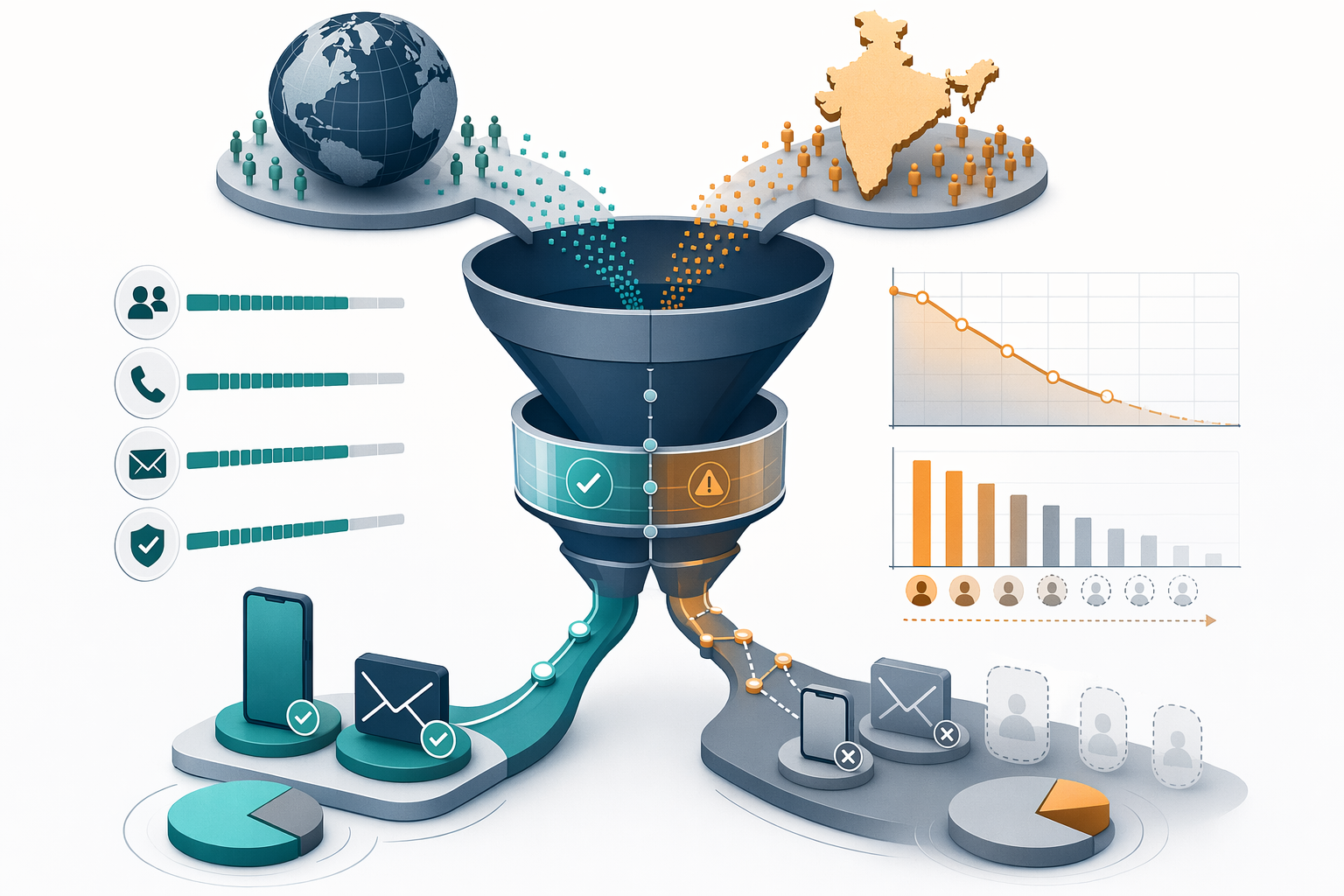
Contact data decays at 2-3% per month as professionals change roles, numbers, and companies. Seven-day refresh cycles maintain 98% accuracy while slower updates drop to 75% within five months. This decay hits Indian B2B contacts harder: mid-market professionals switch employers more frequently than their Western counterparts, telecom providers recycle inactive mobile numbers faster, and regional verification sources update at inconsistent intervals. Sales teams relying on quarterly database refreshes waste 20-25% of their outreach budget on disconnected numbers by month four.
Why Global Accuracy Benchmarks Don't Predict Indian Performance
Tools advertising 90%+ phone accuracy globally often deliver 70-75% for Indian mobile numbers — a 15-20 percentage point gap driven by regional data quality variance. Indian professionals rarely publish phone numbers on LinkedIn, GST and MCA registries contain outdated director contacts, and telecom portability rules complicate carrier validation. Extensions optimized for US/EU markets lack the India-specific data partnerships needed to cross-verify contacts against local business registries. Before committing to annual contracts, request region-specific accuracy data: ask vendors to demonstrate phone number validation rates for Indian contacts across tier-2 cities, not just Mumbai and Bangalore headquarters.
Verification Methodology: Syntax, Domain, and Deliverability Layers
Real contact verification runs three sequential checks: syntax validation (format compliance), domain validation (MX record and SMTP handshake), and deliverability confirmation (inbox existence without sending test emails). Static database lookups skip the deliverability layer entirely, returning contacts marked "verified" months after the recipient left the company. Tools like PeakAi, Apollo, and Lusha implement real-time deliverability checks, though transparency and refresh frequency vary. Extensions that display confidence scores before download signal which contacts passed all three layers — a critical pre-purchase filter when buying credits at ₹13-27 per contact.
Ready to Transform Your Sales Process? Verification methodology determines whether your outreach budget converts to pipeline or evaporates on bounced calls. Extensions that verify contacts against India-specific registries and refresh data weekly close more deals than those relying on stale global databases.
Understanding why verification accuracy matters sets the foundation for evaluating how different Chrome extensions actually verify LinkedIn contact data in practice.
How Chrome Extensions Verify LinkedIn Contact Data
Not all Chrome extensions that promise verified contact data operate within LinkedIn's terms of service. Understanding the technical distinction between compliant enrichment-based tools and prohibited direct-scraping methods is key for sales teams that want accurate contact information without risking account suspension.
Enrichment-Based vs. Direct-Scraping: LinkedIn TOS Compliance
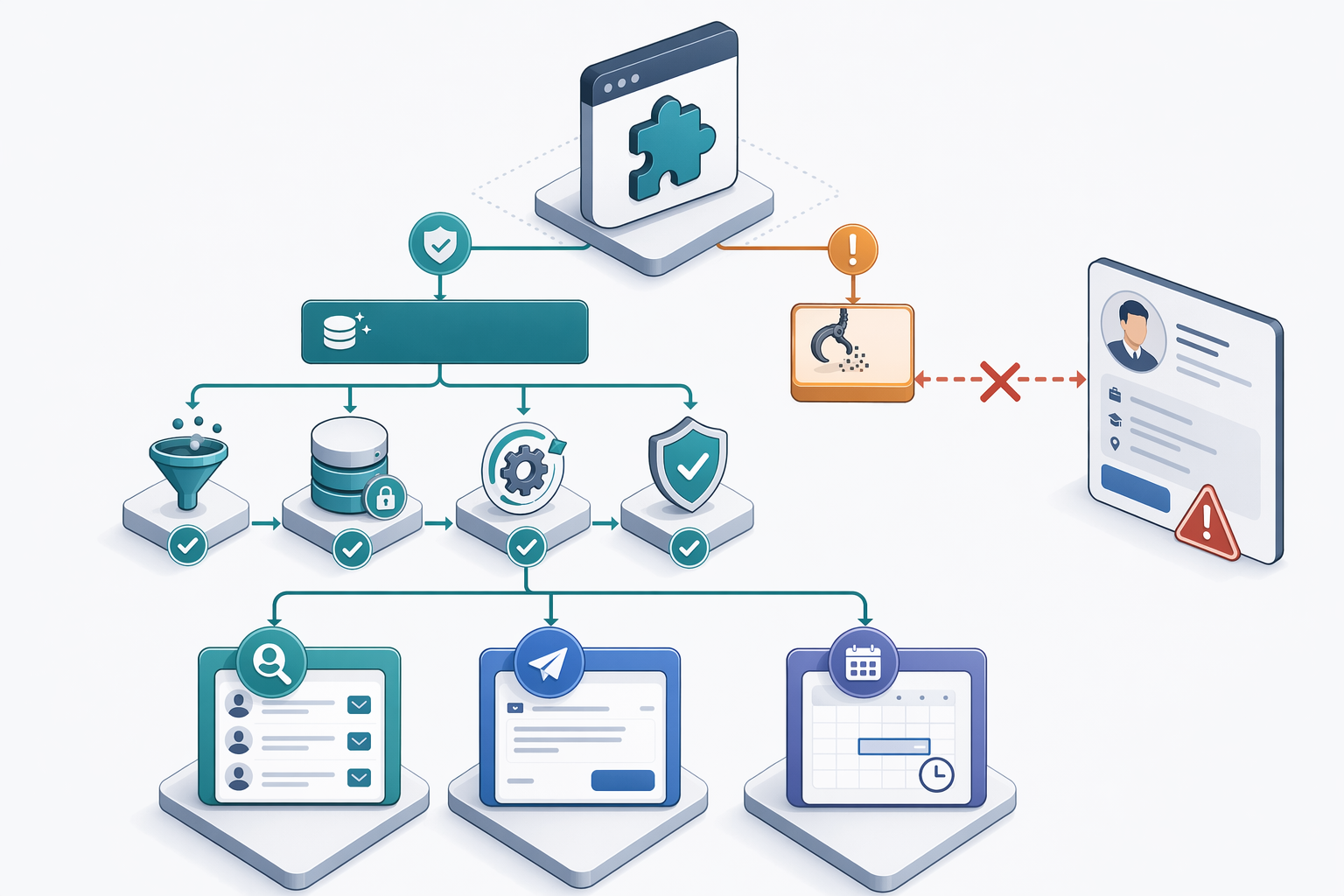
LinkedIn Chrome extensions split into three jobs: finding contact data, automating outreach, and scheduling content. The first category — contact data extraction, divides into two architectures with very different compliance profiles. Enrichment-based tools use publicly visible LinkedIn URLs as search keys to query independent third-party business databases and public records, never accessing LinkedIn's internal APIs or scraping profile fields directly. Direct-scraping extensions harvest email addresses, phone numbers, and company details by parsing LinkedIn's DOM in real time, a practice that violates LinkedIn's Terms of Service and exposes users to permanent account bans.
Only 5 to 10% of LinkedIn users share phone numbers with first-degree connections, and even fewer expose them to second- or third-degree contacts. Enrichment-based extensions bridge this gap by matching profile identifiers (name, company, job title) against verified business databases, delivering contact details that LinkedIn itself does not display. PeakAi, for example, uses this enrichment-based compliance method, querying third-party databases rather than scraping LinkedIn profiles.
Profile-Side Lookup vs. Post-Export Enrichment Architecture
Sales teams face a workflow trade-off between profile-side lookup extensions (which enrich contacts instantly while browsing LinkedIn) and post-export enrichment tools (which process downloaded lists after prospecting). Profile-side tools deliver verified emails and phone numbers in 10 seconds without leaving the LinkedIn tab, eliminating the 'tab-hopping trap', the frustration users report when LinkedIn auto-refreshes and loses unsaved work after switching tabs. This instant verification suits high-volume prospectors who qualify leads on the fly and need contact data before moving to the next profile.
Post-export enrichment, by contrast, lets sales teams build large prospect lists in LinkedIn Sales Navigator, export the CSV, then batch-enrich hundreds or thousands of contacts simultaneously. This architecture avoids LinkedIn's 30 to 40 daily action limit by decoupling prospecting (which counts against the limit) from enrichment (which happens off-platform). Teams running campaign-based outreach often prefer post-export workflows because they can segment, score, and route enriched lists to CRM before the first message goes out.
Mobile vs. Landline Detection and Direct Dial Identification
For Indian B2B sales teams, mobile number identification carries strategic weight. Mobile numbers connect reps directly to decision-makers, bypassing gatekeepers and company switchboards that screen landline calls. Advanced contact enrichment tools classify phone numbers as mobile, landline, or VoIP during verification, and flag direct dials, numbers that ring on the prospect's personal device rather than a shared office line.
This classification layer matters most in markets where cold calling remains a primary outreach channel and where prospects expect business development conversations on mobile. Extensions that validate local phone number formats (India's +91 country code, 10-digit mobile patterns) and cross-reference numbers against GST registration databases deliver higher contact rates than tools optimized for Western markets. The ability to find accurate contact information tied to verified mobile numbers helps sales professionals close more deals by reaching the right person on the first attempt.
With verification methods clarified, comparing platforms side-by-side reveals which tools transparently disclose their India-specific data sourcing and regional accuracy benchmarks.
Chrome Extension Comparison: Verification Methods & Regional Coverage
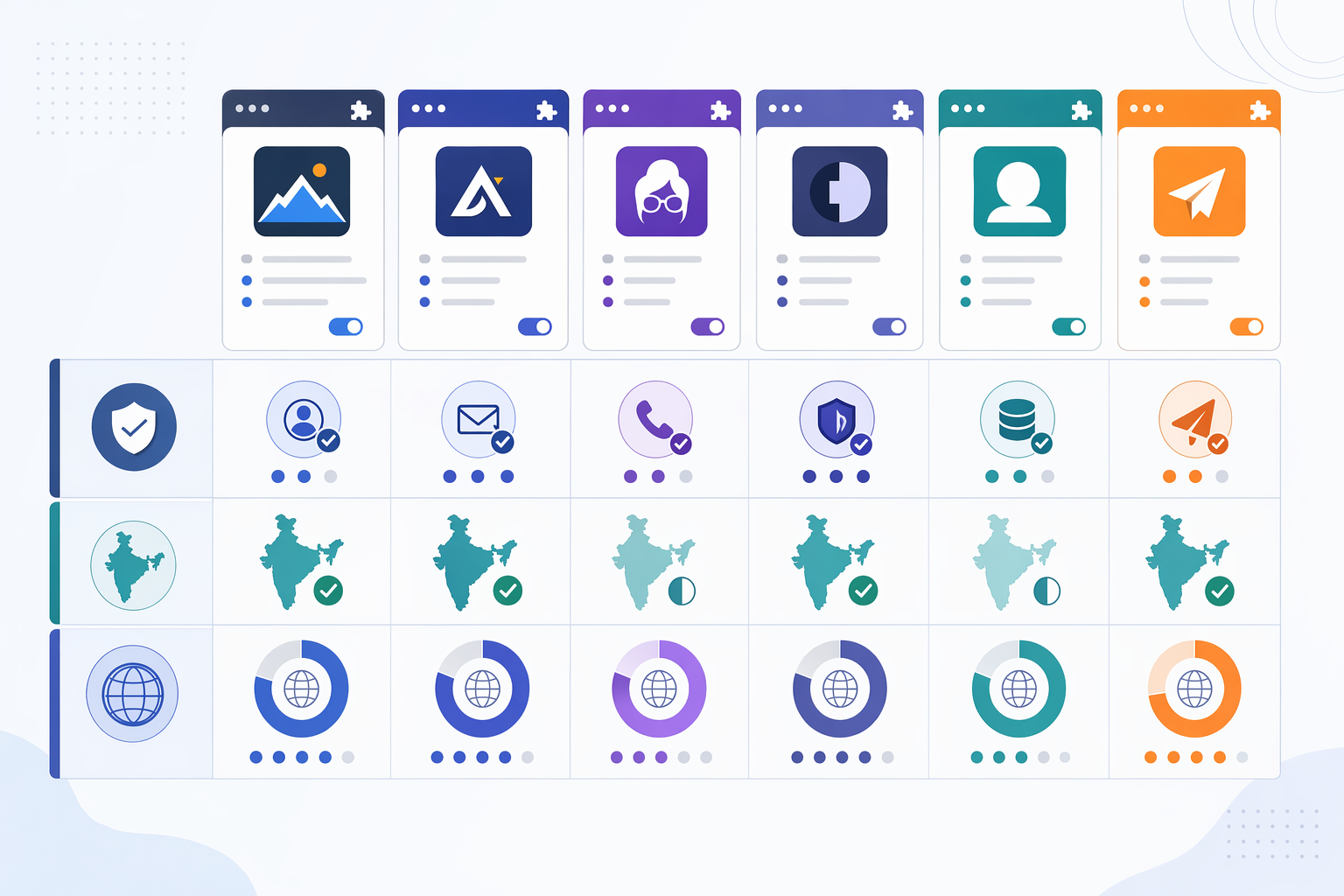
Sales teams targeting Indian companies need Chrome extensions that disclose how they verify contact data and where they source regional records. Advertised accuracy benchmarks often reflect US/UK performance; buyers should validate India-specific mobile number accuracy before annual commitments. This comparison evaluates six platforms, PeakAi, Apollo.io, Lusha, Cognism, Kaspr, and EazyReach, on verification transparency, India data sourcing, and database breadth.
Verification Methodology Transparency: What Each Tool Discloses
Platforms vary widely in how much they reveal about their verification layers. Apollo.io states a 98.5% verified accuracy rate backed by a proprietary seven-step validation process, but does not publish the specific syntax/domain/deliverability checks behind that figure. Lusha and Kaspr emphasize one-click extraction speed without detailing real-time verification steps. Cognism highlights phone-verified mobiles and GDPR compliance, signaling European regulatory alignment but leaving verification mechanics undisclosed. PeakAi cross-references 200+ network data partners in real time and classifies phone numbers as mobile, landline, or VoIP, providing pre-download confidence indicators. EazyReach uses MCA/DIN director data for Indian companies, offering transparency on regional sourcing but limited detail on global validation.
Methodology transparency matters because black-box accuracy claims cannot be audited. Teams should ask vendors for refresh frequency, data-source mix, and whether verification occurs before or after export, details that separate real-time enrichment from static database lookups.
India Coverage and Regional Data Sources
India-specific data sourcing determines whether a tool returns verified local mobiles or generic international formats. PeakAi delivers 91% phone number accuracy specifically for Indian contacts across 1600+ cities, validated against GST and MCA databases. EazyReach offers direct phone numbers of directors across all Indian private limited and LLP companies, sourced from MCA/DIN records and marketed as fully DPDP-compliant for India. Apollo.io lists 230M+ verified contacts globally with 30 million companies, but does not publish separate India accuracy figures or regional telecom partnerships. Lusha, Cognism, and Kaspr emphasize US/EU coverage; Cognism's GDPR compliance and European focus are documented, but India-specific benchmarks are absent from public materials.
Teams prospecting in India should confirm whether a platform integrates local registries (GST, MCA) or relies on global databases that may lack up-to-date Indian mobile numbers. Regional data quality variance is the primary reason advertised accuracy rates do not always hold for emerging markets.
Database Size and Contact Type Coverage
| Platform | Database Size | Verified Mobile | Chrome Extension | User Rating | India Focus |
|---|---|---|---|---|---|
| PeakAi | Not disclosed | Yes (91% accuracy, 1600+ cities) | Yes | Not publicly disclosed | India-optimized |
| EazyReach | Directors of all Indian pvt ltd/LLP companies | Yes (MCA/DIN-sourced) | Yes (Mr. E extension) | 4.8/5 (8K ratings) | India-exclusive |
| Apollo.io | 230M+ contacts | Yes | Yes | 4.7/5 (9,015 reviews) | Global |
| Lusha | Not disclosed | Yes | Yes | 4.6/5 (1.8K ratings) | US/EU primary |
| Kaspr | Not disclosed | Yes (phone extraction focus) | Yes | 4.4/5 | Global |
| Cognism | Not disclosed | Phone-verified mobiles | Yes | 4.2/5 (10 ratings) | EU/GDPR-focused |
Apollo.io leads on raw database size with 230M+ contacts, appealing to teams that prospect globally and need high-volume exports. Lusha's 400,000 users and Cognism's 2,000 users reflect different adoption scales, with Lusha positioned for individual contributors and Cognism serving enterprise EMEA teams. PeakAi and EazyReach do not publish total contact counts but emphasize India-specific accuracy and regional registry integration over global breadth. Teams should evaluate whether total database size or regional verification depth matters more for their pipeline, large databases do not guarantee current Indian mobile numbers if verification layers lack local telecom partnerships.
Ready to Transform Your Sales Process? PeakAi delivers verified emails and phone numbers from LinkedIn profiles in 10 seconds, with GST verification and regional phone format validation built for Indian B2B teams. Explore PeakAi's Chrome extension features and join thousands of sales professionals who close more deals with India-focused contact discovery.
Beyond verification methodology and regional coverage, the pricing model determines whether a platform fits your team's prospecting volume and budget constraints.
Pricing Models Compared: Pay-Per-Contact vs. Subscription
Credit Burn Rates and Cost-Per-Usable-Contact Calculation
Credit-based models advertise a per-credit price, but burn rates mean actual cost per usable contact is higher. Phone numbers burn at 50-65%, emails at 75-80%, so cost per usable contact exceeds advertised per-credit price by 35-100%.

PeakAi's credit-based pricing starts at $9 for 50 verified contacts, translating to $0.18 per credit. With a 60% phone burn rate, actual cost per usable phone number rises to $0.30 ($0.18 ÷ 0.40 success rate). Teams processing 100 contacts monthly spend $30 on successful lookups, not $18.
Subscription tools charge a flat monthly fee regardless of burn. Apollo.io starts at $39/month, Lusha at $29/month, Kaspr at $49/month. At 200 contacts monthly with 60% burn, subscription tools deliver 80 usable contacts for the fixed fee, $0.49 to $0.61 per usable contact. Pay-per-contact wins below 50 lookups; subscription wins above 200.
Rollover Policies and Break-Even Analysis
Rollover policies determine whether unused credits carry forward. Pay-per-contact platforms like PeakAi let teams purchase credits on demand with no monthly cap. Subscription models impose use-it-or-lose-it monthly allocations; unused lookups expire.
Break-even threshold sits around 150 contacts per month. Below 50, pay-per-contact avoids subscription waste. Above 200, subscription caps cost despite burn. Teams with volatile monthly volumes favor rollover-enabled credit models; teams with steady high volume favor fixed subscriptions.
Free Trial and Free Credit Offers
Free trials validate India-specific accuracy before committing. EazyReach provides 5 free credits for trial. MagicPost lists tools with trial periods, though its focus is content scheduling rather than contact extraction. Fifteen Kaspr alternatives include several with trial options.
Trial periods let teams test phone accuracy against Indian mobile formats, GST verification, and DNC registry flags before scaling. Join thousands of sales professionals who validate tools during trial windows to close more deals with verified contact data.
| Tool | Pricing Model | Starting Price | Free Trial / Credits |
|---|---|---|---|
| PeakAi | Pay-per-contact | ₹675/50 contacts | — |
| EazyReach | Credit-based | — | 5 free credits |
| Apollo.io | Subscription | $39/mo | — |
| Lusha | Subscription | $29/mo | — |
| Kaspr | Subscription | $49/mo | — |
| Cognism | Subscription | Contact for pricing | — |
After selecting a pricing model that aligns with your prospecting volume, the installation process and workflow integration determine how seamlessly your team can adopt the tool.
Installation & Workflow: LinkedIn Sales Navigator Integration
Chrome Extension Installation and Permission Setup
Installing a contact discovery extension is straightforward. The Lusha Extension is a browser add-on for Chrome and Edge, and similar tools like Mr. E by Easyleadz are available for Chrome. Follow these steps:
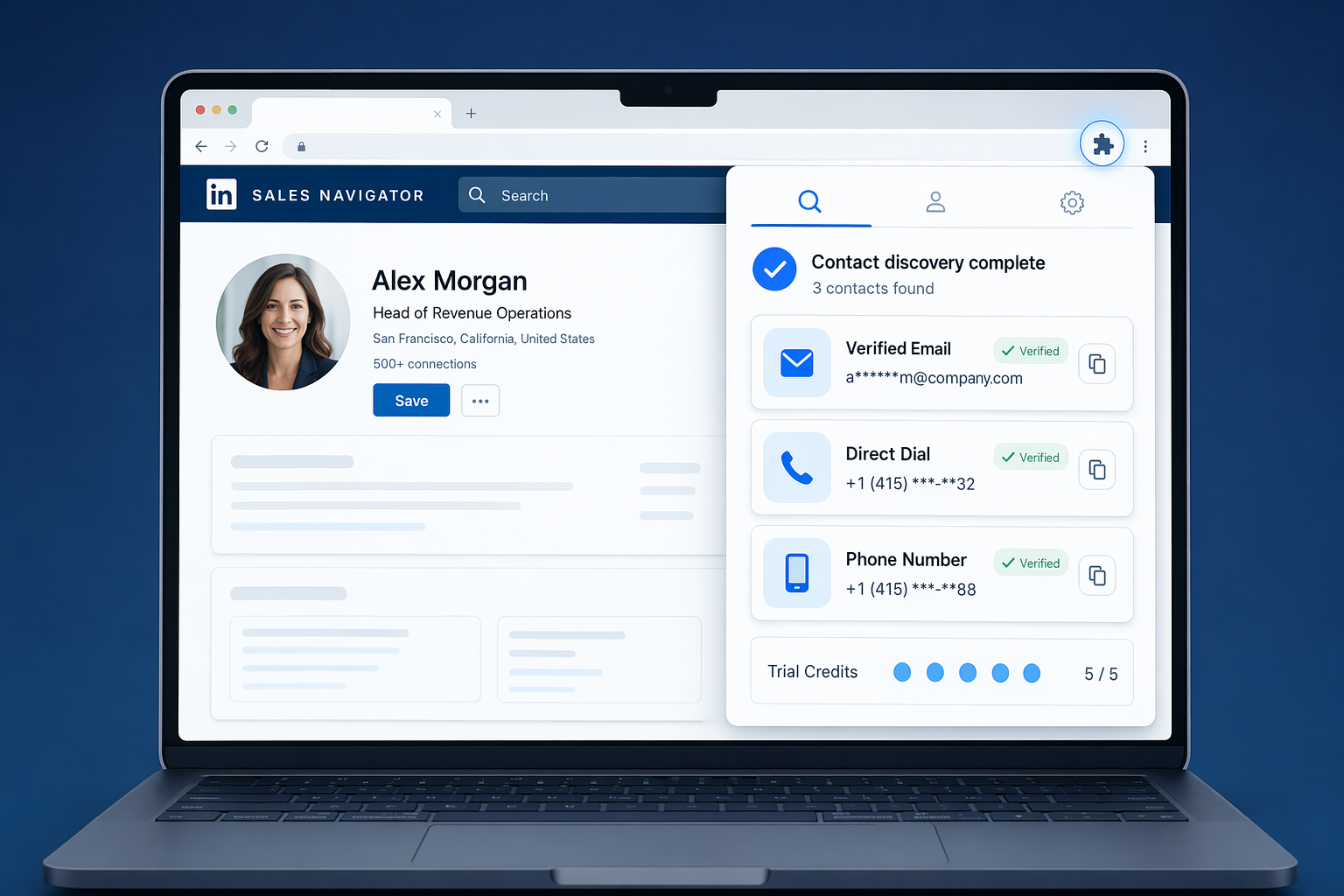
- Navigate to the Chrome Web Store and search for the extension.
- Click 'Add to Chrome' and confirm permissions when prompted.
- Log in to LinkedIn and authorize data access.
- Configure CRM integration settings if applicable.
Most extensions provide 5 free credits for trial, letting you test functionality before committing to a paid plan.
Sales Navigator Integration Patterns
Extensions like PeakAi, Lusha, and Apollo overlay contact data directly on LinkedIn and Sales Navigator profiles, revealing verified emails, direct dials, and phone numbers [F2-3, F2-4, F2-5] without leaving the page. This approach distinguishes profile-side lookup from list-export enrichment. Once revealed, you can save contacts to a list, export directly to your connected CRM, or add contacts to an Engage sequence.
Daily Workflow Automation Within LinkedIn Limits
LinkedIn enforces a 30 to 40 daily action limit to prevent spam. Schedule your contact discovery in batches: retrieve 10 to 15 contacts in the morning, another 10 to 15 in the afternoon, and save the remainder for follow-up tasks. Avoid rapid-fire lookups or automated scripts that trigger LinkedIn's filters. Join thousands of sales professionals who pace their outreach to maintain account health and close more deals sustainably.
Conclusion
Pay-per-contact models suit teams processing fewer than 50 contacts monthly to avoid subscription waste, while subscription models suit high-volume teams (200+ monthly) to cap costs, but both require understanding credit burn rates to calculate true cost-per-usable-contact. Profile-side lookup tools deliver instant verification within LinkedIn but may slow browsing, whereas post-export enrichment tools process lists in bulk but require exporting profiles first.
As AI-powered verification layers and telecom carrier integrations mature, expect Indian mobile number accuracy to narrow the gap with global benchmarks, but until platforms transparently disclose regional refresh cycles and data sourcing partnerships, buyers should validate accuracy for their target markets during trial periods rather than relying on advertised averages.
Test India-specific contact accuracy during free trials, then explore PeakAi's Chrome extension to compare verification transparency and regional coverage against the platforms reviewed above.
Frequently Asked Questions
What accuracy should I expect from Chrome extensions for Indian B2B contacts?
Tools advertising 90%+ phone accuracy globally often deliver 70-75% for Indian mobile numbers, a 15-20 percentage point gap driven by regional data quality variance. Email accuracy ranges from 85-95% for top-tier platforms to below 70% for budget options. Validate India-specific accuracy benchmarks during free trials before committing to annual contracts.
How do Chrome extensions verify contact data in real time?
Real-time verification runs three sequential checks: syntax validation (format compliance), domain validation (MX record and SMTP handshake), and deliverability confirmation (inbox existence without sending test emails). Static database lookups skip the deliverability layer, returning contacts subject to 2-3% monthly decay. Seven-day refresh cycles maintain 98% accuracy versus 75% within five months for slower updates.
Do Chrome extensions for LinkedIn contact discovery violate LinkedIn's Terms of Service?
Enrichment-based tools comply with LinkedIn's Terms of Service by matching LinkedIn profile data against third-party databases. Direct-scraping tools that extract data from LinkedIn's site violate TOS and risk account restrictions. LinkedIn restricts automation to 30-40 daily actions and prohibits bulk scraping, so verify a tool's data sourcing method before deployment.
What is the real cost per usable contact with credit-based pricing?
Credit-based models burn at 50-65% for phone numbers and 75-80% for emails, so cost per usable contact exceeds advertised per-credit pricing by 35-100%. For example, 100 credits at $50 ($0.50/credit) with 60% burn rate yields $0.83 per usable phone number. Compare cost-per-usable-contact across platforms, not just per-credit pricing.
Which Chrome extension has the best India coverage?
"Best coverage" depends on regional data sourcing partnerships and India-specific accuracy validation, not total database size. Few platforms disclose India-specific accuracy benchmarks or local telecom integrations. Use free trials to test India mobile number accuracy for your target industries before committing, and reference verification methodology comparisons to evaluate transparency.
How often do contact databases update to prevent data decay?
Contact data decays at 2-3% monthly as professionals change roles, numbers, and companies. Seven-day refresh cycles maintain 98% accuracy while slower updates drop to 75% within five months. Ask platforms about their refresh frequency and whether they disclose last-verified timestamps for individual contacts to assess data freshness.
Can I integrate Chrome extensions with my CRM?
Most major platforms, Apollo.io, Lusha, Cognism, PeakAi, offer native CRM integrations or API access for pushing verified contacts into Salesforce, HubSpot, Pipedrive, or Zoho. Integration depth varies: some provide one-click push, others require manual export/import or Zapier middleware. Review the comparison table for CRM integration capabilities across platforms.
Sources
- Top 10 Business Contact Finder Tools in India to Generate High Quality Leads - businessinsight27.wordpress.com (2026)
- Best LinkedIn Chrome Extensions for B2B Lead Gen (2026) - www.cleverly.co (2026)
- Stop auto-refreshing LinkedIn when I switch tabs - www.linkedin.com
- B2B Contact Database | Search 230M+ Verified Contacts Instantly - apollo.io
- Lusha - Easily find B2B contact information - Chrome Web Store - chromewebstore.google.com
- Cognism - Sales Companion - Chrome Web Store - chromewebstore.google.com
- 12 Best Linkedin Chrome Extensions in 2026 - magicpost.in (2025)
- Kaspr Alternatives 2026: 15 Best Tools for B2B Sales - martal.ca (2025)
- Mr. E by Easyleadz: Free B2B Phone number & Email Finder - chromewebstore.google.com