Most LinkedIn prospecting tools charge you first and verify later — leaving sales teams with contact lists where 30-50% of phone numbers are disconnected or wrong. Pre-download verification flips that workflow, showing accuracy indicators before you commit credits.
Key Takeaways
- Pre-download verification runs SMTP syntax and telecom carrier checks during prospecting, displaying confidence scores before you export — reducing waste on unverified contacts
- Phone verification accuracy (65-80% typical) lags email accuracy (80-90%) because phone numbers change 2-3% monthly as people switch jobs and carriers
- Tools with higher per-contact pricing but 91% phone accuracy plus credit-back policies often deliver lower cost-per-usable-contact than cheaper unverified bulk downloads
- Accuracy varies sharply by region — a tool with 85% US accuracy may show 60% India accuracy, so always request geography-specific data during trials
- Test verification claims by calling/emailing 10-20% of a 50-100 contact sample within 48 hours; a >10% gap between your results and vendor claims is a red flag
What Does Pre-Download Verification Actually Mean?
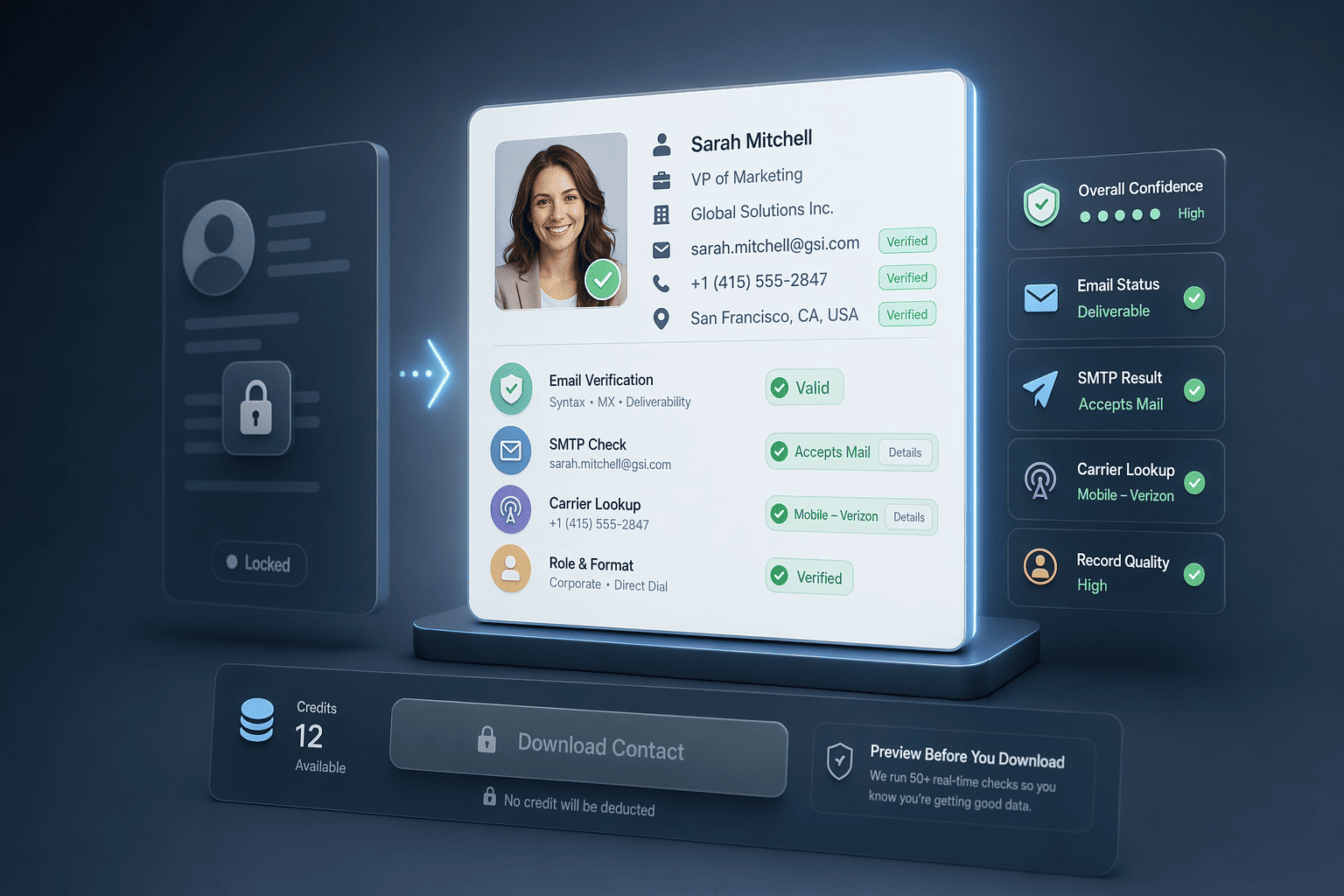
Yes, several LinkedIn prospecting tools including PeakAi verify phone numbers and emails before download. Pre-download verification means the tool displays real-time confidence indicators — verification badges, SMTP check results, carrier-lookup status — in the prospecting interface *before* you commit a credit or reveal the contact. This contrasts sharply with post-export enrichment, where you pay for or download the record first, then validate it afterward.
Real-Time Verification vs Post-Export Enrichment
Real-time lookup tools run SMTP syntax, domain MX, and deliverability checks, plus telecom carrier validation for phone numbers, during the prospecting session, displaying confidence tiers (high/medium/low) before you click 'reveal contact.' Post-export workflows, by contrast, hand you a CSV with unverified emails and phones, leaving you to validate them in a separate step. Tools like La Growth Machine run waterfall enrichment automatically from a LinkedIn URL, but many others charge per contact revealed regardless of whether the data passes verification. Credit-based models that skip pre-download checks can burn 35-50% of credits on invalid records.
Interface Indicators: What You See Before You Pay
Look for verification badges, confidence scores, and methodology tooltips in the tool's UI. High-quality platforms surface these indicators inline, a green checkmark for SMTP-verified emails, a carrier-type label (mobile/landline/VoIP) for phone numbers, and a timestamp showing when the contact was last verified. If the interface shows only a generic email icon with no verification status, the tool likely validates after you've already spent the credit.
Verification Methodology Transparency
Vendors who disclose their verification methods, SMTP handshake depth, carrier-lookup partnerships, waterfall-enrichment sequences, signal higher data quality. Tools that aggregate email + phone accuracy into a single '95% verified' figure often obscure the reality that phone verification (harder, requires telecom API access) trails email verification (easier, SMTP is standardized). Ask: does the vendor report email and phone accuracy separately, and do they explain *how* they verify before you download?
Understanding pre-download verification is only half the equation, the timing of those checks determines whether your workflow gains hours or loses them.
Why Verification Timing Matters: Real-Time vs Post-Export
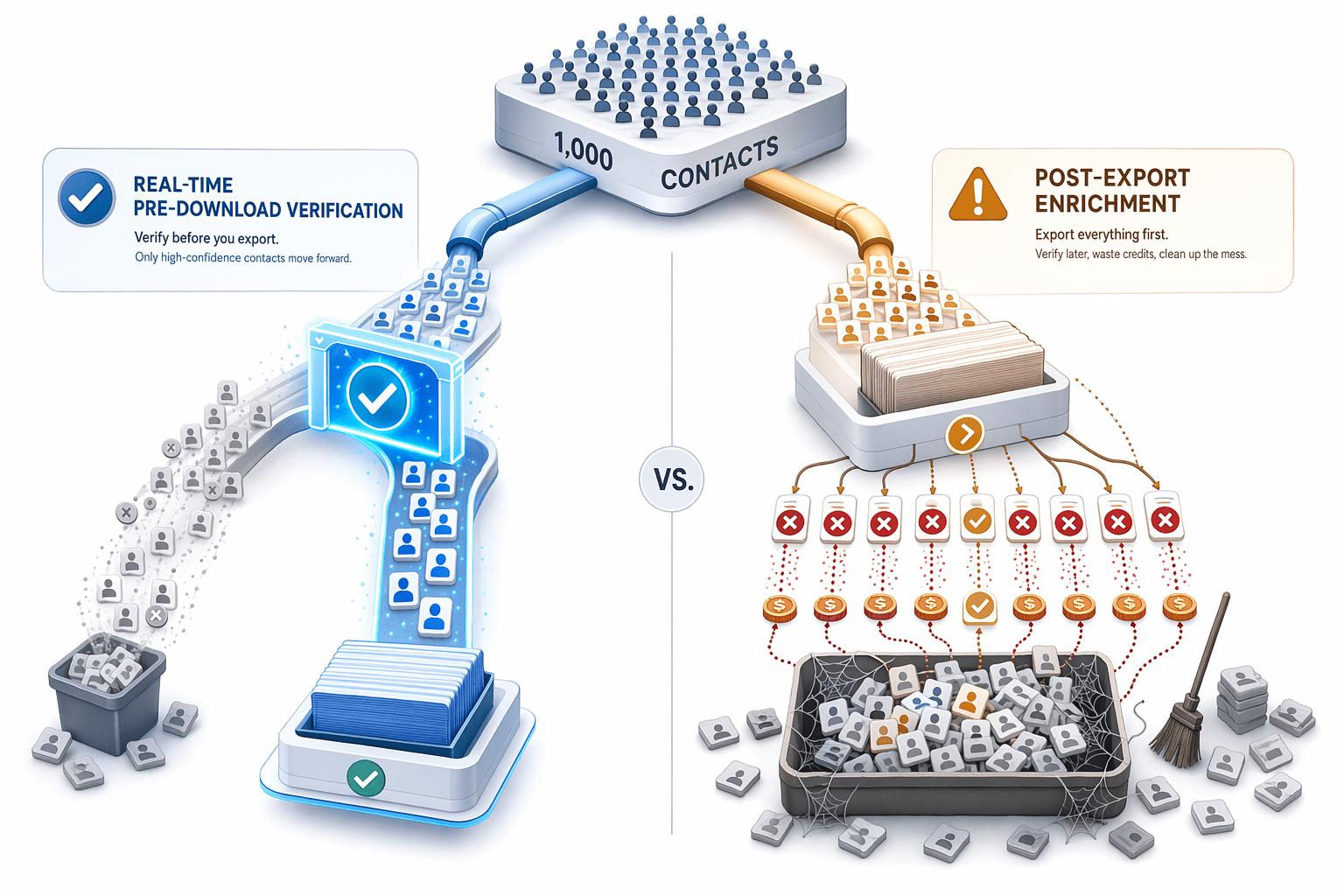
The question "Is there a LinkedIn prospecting tool that verifies phone numbers and emails before download?" isn't just about accuracy, it's about when verification happens in your workflow, and who pays for the failures. Tools that verify *after* you download a list charge you upfront, then leave you to clean up the mess. Tools that verify *before* you commit a credit let you filter by confidence and export only the contacts that will actually connect.
Credit Burn Rate: Verified vs Unverified Contacts
Consider a 1,000-contact list exported from LinkedIn Sales Navigator. If the tool provides no pre-download verification, you'll typically see 50 to 65% phone match rates and 75 to 80% email match rates across the full list. At 65% phone accuracy, that's 350 bad numbers you've already paid for. If each credit costs $0.18 (typical for unverified tools), you've burned $63 on contacts that will never answer. Real-time verification tools flip this model: you see the confidence score in-app, filter to 'high confidence only,' and export 650 verified contacts. You pay for 650 credits instead of 1,000, and your connect rate jumps because you've pre-screened the duds. PeakAi's credit-based pricing starts at $9 for 50 verified contacts, charging only after verification confirms the record is current.
Workflow Impact: In-App Filtering vs Manual Cleanup
Post-export validation adds 2 to 3 hours to every list build. You download the full CSV, upload it to a separate email verifier, wait for the batch job to complete, download the results, cross-reference failures against your CRM to avoid duplicate outreach, and manually delete the bad rows. Real-time verification collapses that cycle into a single step: sort by verification confidence in the enrichment tool's UI, select 'verified only,' and export. The list that lands in your CRM is already clean. Sales reps can start calling the same day, and you skip the validation-vendor contract entirely. For teams running weekly list builds, that's 100+ hours per year reclaimed from manual scrubbing, time better spent on outreach that helps you close more deals.
Static Database Decay vs Real-Time Lookup Freshness
Contact data decays at approximately 2 to 3% monthly as people change jobs and phone numbers. A static database refreshed quarterly is already 6 to 9% stale by the time you export from it. Real-time verification checks current status at lookup time, querying live data sources rather than serving a cached snapshot. This distinction matters most for high-velocity outbound teams: if your reps burn through 500 contacts per week, a 7% decay rate means 35 dead-end calls every week, calls that could have connected if the tool had verified freshness before charging the credit. Tools that verify in real-time reduce this waste by checking multiple authoritative sources at the moment you request the contact, not the moment the vendor last refreshed their master file.
Knowing when verification happens helps you pick the right tool, now let's examine which platforms deliver pre-download verification in practice.
5 LinkedIn Prospecting Tools That Verify Contacts Before Download
Pre-download verification separates serious prospecting platforms from scraper tools that charge first and verify later. These five tools, PeakAi, LinkedIn Sales Navigator, Apollo, Lusha, and ZoomInfo, show verification indicators before you commit credits, letting you assess confidence scores, carrier-lookup status, and email deliverability before purchase.
Tool-by-Tool Verification Features
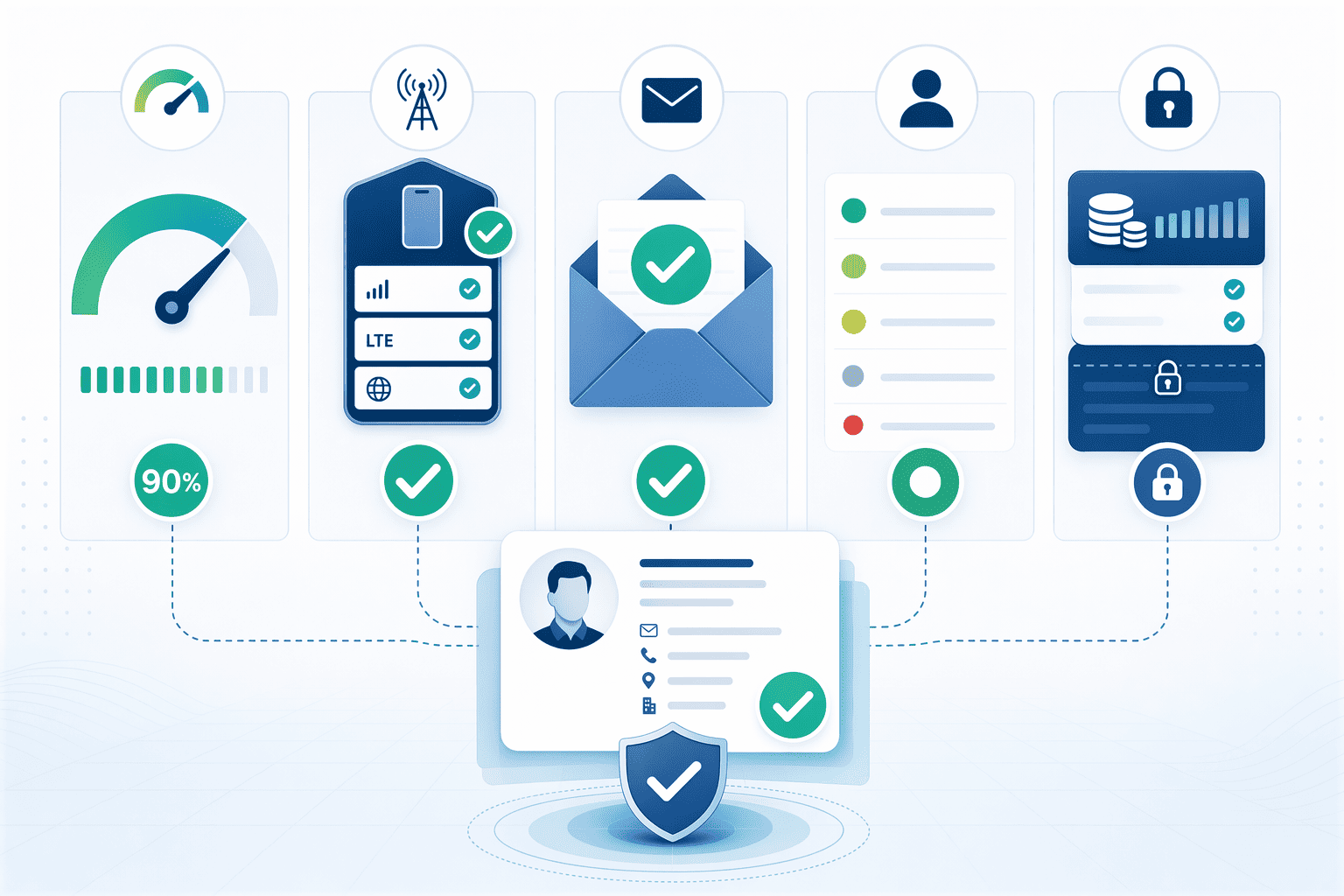
PeakAi delivers 91% phone accuracy with 10-second verification speed and validates each candidate number through carrier lookup protocols before displaying results. LinkedIn Sales Navigator surfaces first-degree contact fields but does not verify or append external phone numbers, it shows only what users choose to share publicly. Apollo searches 230M+ verified contacts and states that validation ensures accuracy before export. SalesQL accesses millions of business contacts with direct emails and phone numbers verified in real time. Lusha and ZoomInfo both provide Chrome extensions that display confidence indicators on LinkedIn profiles, though methodology disclosures vary.
Accuracy Guarantees and Refund Policies
PeakAi offers 91% phone accuracy with credit-back policy for wrong numbers within 24 working hours. Apollo reports 65-80% phone and 82% email accuracy for US contacts 2026 benchmarks but does not publicly disclose a similar credit-back guarantee. SalesQL positions itself as providing trusted, real-time verified emails and phone numbers but does not specify a numeric accuracy rate or refund mechanism on its homepage. Lusha and ZoomInfo both advertise high accuracy but aggregate email and phone metrics into single percentages, a red flag when comparing tools, because email SMTP checks typically yield higher success rates than phone carrier lookups. Buyers should request separate email versus phone accuracy figures and ask whether credits are refunded for verified-but-disconnected numbers.
Geographic Accuracy Variance
Accuracy rates vary sharply by region. Manual research across websites and LinkedIn can take hours and often yields outdated or incorrect data, and global platforms optimized for US or European markets may show 85% US accuracy but drop to 60% in India or emerging economies. PeakAi's 91% phone accuracy is India-verified, making it the stronger choice for teams prospecting in South Asian markets. Apollo, Lusha, and ZoomInfo focus primarily on North American and European coverage. Before committing to annual contracts, run a pilot batch of 50-100 contacts in your target geography and measure actual deliverability, vendor-disclosed accuracy claims reflect global averages, not regional performance.
Vendor accuracy claims fill sales decks, but testing those claims during your trial separates marketing from measurable reality.
How to Evaluate Verification Accuracy Claims
Testing Verification Claims During Free Trials
Pull a 50-100 contact sample spanning your target geography and seniority mix, this sample size gives you statistical confidence without burning your entire trial.
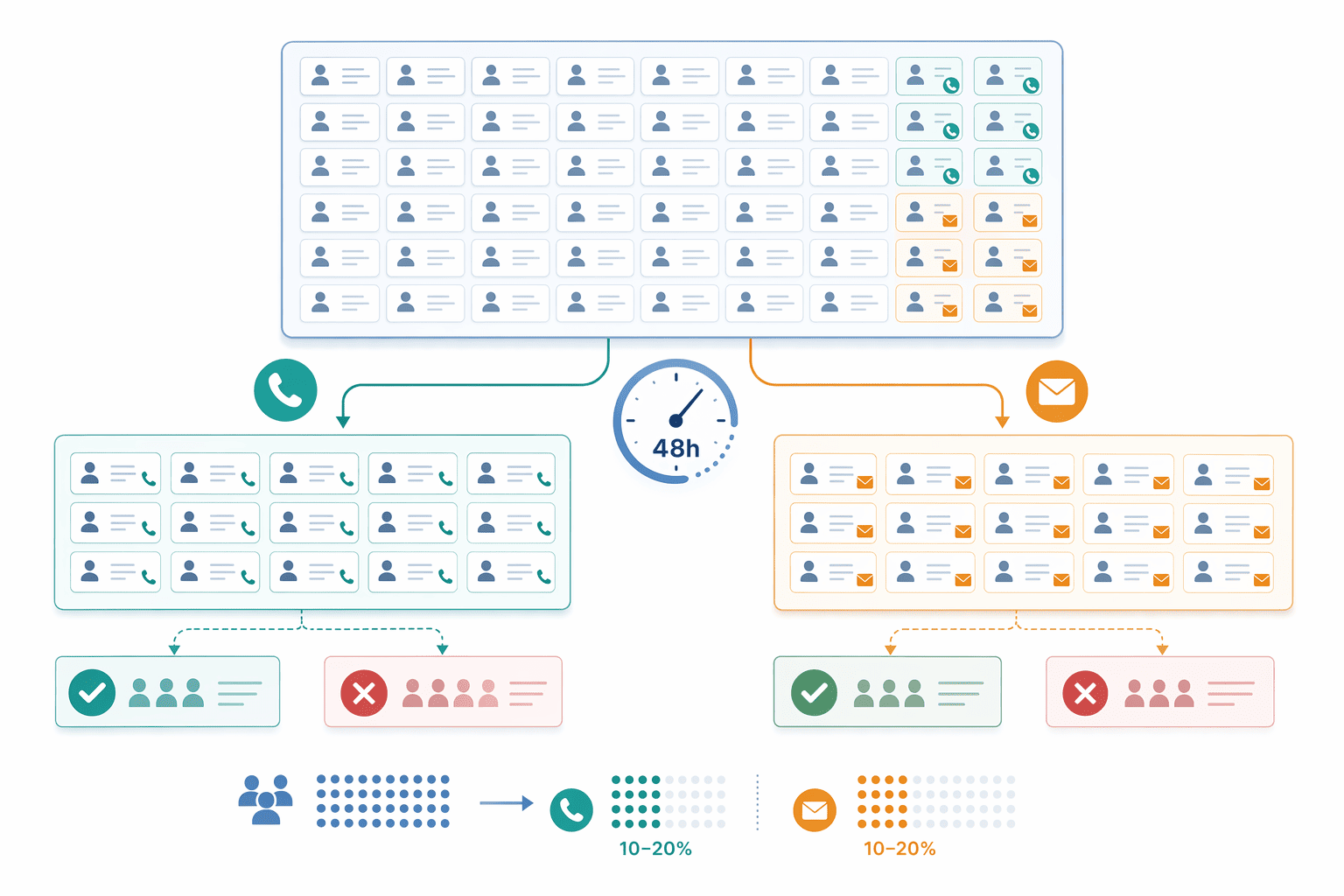
Split the sample into phone and email subsets to measure each channel separately, because phone accuracy (typically 65-80%) runs significantly lower than email accuracy (80-90% via SMTP checks).
Call or email a representative 10-20% of each subset within 48 hours of export.
Track connect rate for phones (ring + human answer) and bounce rate for emails (hard bounce = failed contact).
Compare your measured accuracy to the vendor's stated rate, a gap larger than 10 percentage points signals the vendor's claim may not reflect your target market's contact availability.
Red Flags: When Accuracy Claims Don't Add Up
Watch for vendors who aggregate email + phone accuracy into a single '95%' figure, this hides the fact that phone accuracy is almost always 15-30 points lower than email accuracy.
Ask for separated metrics; if the vendor refuses to disclose phone-specific accuracy, assume the number is below their headline claim.
Check whether the accuracy claim includes geographic scope, tools optimized for US/EU markets often deliver 40-60% accuracy in India and emerging markets because their data partners lack regional coverage.
Verify the vendor offers a refund or credit-back policy for failed contacts, PeakAi's 24-hour credit-back policy for unverified numbers is an example of a vendor standing behind its 91% phone accuracy claim.
Why Verification Confidence Tiers Matter
High-confidence contacts (those the tool marks as 'verified' or 'direct-dial confirmed') typically deliver 80%+ connect rates when you call within 48 hours.
Medium-confidence contacts (marked 'likely' or 'inferred from company domain') connect at 50-70% rates.
Low-confidence contacts drop to 40-50% connect rates, these are essentially educated guesses based on company phone-tree patterns rather than verified direct dials.
Only 5-10% of LinkedIn users share phone numbers with first-degree connections, which is why third-party verification tools are necessary, native LinkedIn data rarely includes verified phones.
Once you've tested accuracy, comparing verification features side-by-side reveals which tools back their claims with transparent methodology and refund policies.
Verification Features Comparison Table
With 31 alternatives competing in the LinkedIn prospecting category, verification methodology becomes the decisive filter. Most tools advertise accuracy figures but hide their verification process, a transparency gap that matters when your team depends on these contacts for outbound calling and cold email.
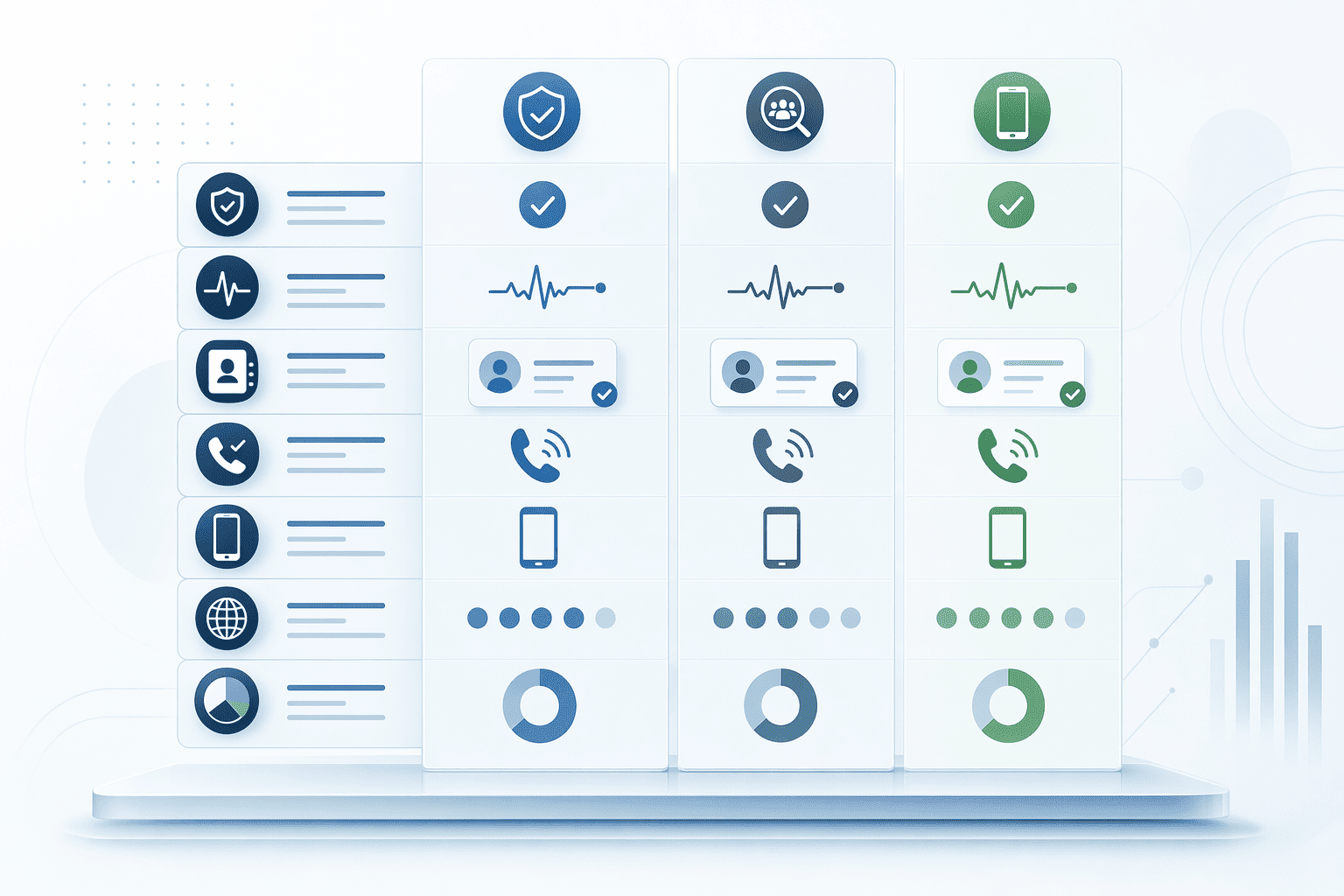
Verification Methodology Column
| Tool | Phone Verification | Email Verification | Phone Accuracy | Email Accuracy | Methodology Disclosure |
|---|---|---|---|---|---|
| PeakAi | Carrier lookup + third-party database cross-reference | SMTP validation + deliverability checks | 91% | Not disclosed | Full |
| Lusha | Database match | SMTP validation | Not disclosed | Not disclosed | Partial |
| ZoomInfo | Intent signal + database | SMTP validation | Not disclosed | Not disclosed | Partial |
| Apollo | Database match | SMTP validation | Not disclosed (US: 65–80% typical) | Not disclosed | Partial |
| SalesQL | Real-time verification | Real-time verification | Not disclosed | Not disclosed | None |
PeakAi queries 200+ network data partners in real time and classifies phone numbers as mobile, landline, or VoIP, transparency competitors reserve for enterprise contracts. Apollo and Lusha disclose SMTP checks but do not publish carrier-lookup methodology or geographic accuracy variance, leaving users to infer quality from aggregate reviews.
Refund and Credit-Back Policies
PeakAi automatically refunds credits for wrong numbers within 24 hours, no ticket required. Apollo, Lusha, and ZoomInfo require manual disputes with documentation (call logs, bounce receipts), processing refunds case-by-case with no published SLA. SalesQL does not disclose a refund policy. For teams running high-volume outbound campaigns, automated credit-back eliminates the administrative tax of chasing refunds for failed verifications.
Feature checklists matter, but the real question is whether pre-download verification's accuracy gains justify the cost premium over unverified bulk tools.
Does Pre-Download Verification Justify Higher Costs?
The sticker price per contact rarely tells the full story. When evaluating LinkedIn prospecting tools, the true cost metric is cost-per-usable-contact, factoring in accuracy rates, refund policies, and how many credits you burn on dead-end data.

Cost-Per-Usable-Contact Math
Consider two scenarios based on real market burn rates. Tool A charges $0.50 per contact with 65% phone accuracy and no refund policy. Out of 100 contacts purchased ($50 total), only 65 are usable, yielding a true cost of $0.77 per usable contact. You've burned $17.50 on unusable data with no recourse.
Tool B charges $0.70 per contact with 91% phone accuracy and refunds credits for incorrect data within 24 hours. Out of 100 contacts purchased ($70 total), 91 are usable and the 9 failed credits are returned. True cost: $0.70 per usable contact, lower than Tool A despite the higher headline price.
Credit-based models charge per contact revealed, with burn rates varying from 50-65% match for phone numbers to 75-80% for emails across the market. PeakAi's 91% phone accuracy combined with its 100% credit refund guarantee positions it in the 'Tool B' category, where the premium pricing delivers lower effective cost per usable contact because you don't burn credits on bad data.
When to Pay a Premium for Verification
High-volume cold outreach (>500 contacts/month, phone-heavy workflows) benefits most from pre-download verification. When your SDR team dials 100+ prospects daily, even a 10-percentage-point accuracy gap compounds into hundreds of wasted credits monthly. Pre-verification with credit-back protection pays for itself in reduced waste.
Low-volume warm outreach (<100 contacts/month, email-focused) may tolerate manual cleanup. If you're cherry-picking 20 decision-makers for personalized sequences, the time cost of validating emails individually may be acceptable versus paying for enrichment depth you won't use.
Enterprise multi-channel campaigns (email + phone + direct mail) justify premium pricing when the tool delivers verification *plus* enrichment depth, job change tracking, tech stack data, buying signals. In these scenarios, the cost-per-contact metric becomes cost-per-qualified-conversation, and tools that surface intent data alongside verified contacts close more deals despite higher upfront pricing.
The takeaway: don't optimize for the cheapest per-contact rate. Optimize for the lowest cost-per-usable-contact, factoring in accuracy, refund policies, and whether the tool's enrichment features align with your prospecting motion. Join thousands of sales professionals who've shifted from headline price to true ROI as their primary vendor selection criterion.
Conclusion
Tools with pre-download verification and higher per-contact pricing often deliver lower cost-per-usable-contact than cheaper tools with unverified bulk downloads, the math favors verification for high-volume cold outreach (>500 contacts/month). PeakAi's 91% phone accuracy is India-verified with credit-back policy; Apollo and ZoomInfo lead in US accuracy but show lower India performance, geographic scope determines which tool delivers the best ROI for your target market.
As AI-driven prospecting becomes table stakes in 2026-2027, verification methodology transparency and real-time accuracy guarantees will separate professional-grade tools from commodity contact databases, buyers will demand separated phone/email metrics and refund policies as non-negotiable contract terms.
Compare PeakAi's India-focused verification, Apollo's US coverage, and Lusha's European accuracy during your next free trial, test 50 contacts in your target geography and track connect rates to validate claims before committing to annual pricing.
Frequently Asked Questions
Do LinkedIn prospecting tools that verify contacts violate LinkedIn's Terms of Service?
Enrichment-based tools that append phone and email from external databases (not scraping LinkedIn profiles directly) comply with LinkedIn Terms of Service. Tools that automate profile scraping risk account suspension. Contact data decays at approximately 2 to 3% monthly, so enrichment platforms query third-party databases rather than LinkedIn's API to stay compliant.
Why is phone number verification accuracy lower than email verification accuracy?
Email verification uses SMTP server handshakes that confirm mailbox existence without sending mail (80-90% accuracy typical), while phone verification requires telecom carrier lookups subject to number portability and frequent changes (65-80% accuracy typical). Phone data decays at approximately 2 to 3% monthly as people change jobs and numbers, making freshness a persistent challenge.
How do I test a tool's verification accuracy during a free trial?
Pull a 50-100 contact sample spanning your target geography and seniority mix, then call or email a 10-20% subset within 48 hours. Track connect and bounce rates, compare to vendor claims. A >10% gap between your test results and stated accuracy is a red flag. Always test in your target region since accuracy varies sharply.
What does a 'high confidence' verification score actually mean for connect rates?
High-confidence contacts (passing SMTP checks, carrier lookup, and recent job-change verification) typically deliver 80-90% connect rates (phone rings with human answer, email delivers without bounce). Low-confidence contacts may deliver only 40-50% connect rates. Few vendors publish connect-rate data tied to confidence tiers, so test with your own sample.
Does pre-download verification work for contacts outside the United States?
Yes, but accuracy varies significantly by region. A tool with 85% US accuracy may show 60% India accuracy. PeakAi's 91% phone accuracy is India-verified, while Apollo and ZoomInfo cite US-centric accuracy. Always request region-specific accuracy data from vendors before committing to annual contracts.
Can I get a refund or credit back if a verified contact turns out to be wrong?
Refund policies vary by tool. PeakAi offers credit-back for wrong numbers within 24 working hours. Apollo and Lusha have limited refund windows; ZoomInfo and SalesQL policies vary by plan tier. Always check the vendor's refund policy and required documentation (screenshot of bounce or wrong number) before signing up.
What's the difference between SMTP email verification and catch-all detection?
SMTP verification performs a server handshake to confirm the mailbox exists without sending mail, delivering high accuracy for standard mailboxes. Catch-all detection identifies domains configured to accept mail for any address (e.g., [email protected] will accept), which increases false positives, the address may not be monitored. Tools disclosing catch-all status give more control.
Sources
- Email Finder Vs Full Contact... - lagrowthmachine.com (2026)
- 9 Best B2B Data Enrichment Tools for GTM Teams - www.demandbase.com (2026)
- SalesQL - salesql.com
- Top 10 Business Contact Finder Tools in India... - businessinsight27.wordpress.com (2026)
- 31 Best GetProspect Alternatives & Competitors in 2026 - givemeleads.io (2025)