
LinkedIn prospecting tools differ fundamentally in *when* they verify phone numbers and emails — some validate contacts before you spend credits, while others enrich lists after export.
Key Takeaways
- Pre-download verification tools display confidence indicators before charging credits, while post-export enrichment tools validate contacts after you purchase a list
- Real-time enrichment queries third-party databases on-demand when you request a contact, whereas batch tools draw from periodically refreshed databases
- Email accuracy across top-tier platforms ranges from 85% to 95% deliverability, with phone accuracy spanning 65-91% depending on regional coverage depth
- Post-export tools have lower per-contact list prices but include 2-25% unusable contacts due to monthly data decay, narrowing the cost-per-usable-contact gap
- Real-time enrichment APIs comply with LinkedIn Terms of Service by querying external databases, while automated profile scraping faces higher compliance risk
Yes, several LinkedIn prospecting tools verify phone numbers and emails *before* download — meaning you see confidence indicators and validation status before burning credits. PeakAi, Lusha, and Kaspr each offer real-time pre-download verification that displays accuracy signals (syntax, domain, deliverability for emails; format, line-type classification for phones) within the LinkedIn interface, so you decide whether to purchase each contact based on verification results rather than discovering bounce-backs after export.
What Pre-Download Verification Actually Means
Pre-download verification runs contact validation in real time *during* prospecting — not after you export a CSV. The tool queries third-party databases, cross-references multiple data sources, and displays confidence scores (e.g., "High", "Medium", "Unverified") directly on the LinkedIn profile or search page. You see syntax, domain MX record status, and deliverability predictions for emails; format validation and line-type classification (mobile vs landline vs VoIP) for phone numbers. This workflow lets you skip unverified contacts before spending credits, reducing waste and improving list quality from the start.
Post-Export Enrichment: The Batch Validation Model
Batch enrichment tools reverse the sequence: you export a LinkedIn search (often 500–2,500 profiles) as a CSV, upload the list to the enrichment platform, and purchase verification credits for the entire batch. Validation happens *after* you've committed to the list. This approach offers lower per-contact cost when accuracy is high, but carries higher waste risk because B2B data decays at roughly 2.1% per month — meaning a quarter of contacts could be stale within a year. If 20–30% of your batch returns unverified results, you've already spent credits on contacts you can't use, and accuracy gaps compound over time as you re-export without fresh validation.
Why LinkedIn Profiles Hide 90 to 95% of Phone Numbers
LinkedIn's privacy architecture hides most phone numbers by design. Only 5 to 10% of users share phone numbers with first-degree connections, and LinkedIn restricts phones used for two-factor authentication from appearing on profiles at all. This gap is why both pre-download and post-export tools query third-party business databases, public records, and data partnerships rather than scraping LinkedIn fields directly. Pre-download tools simply surface those third-party results *during* the prospecting workflow with confidence signals, while batch tools run the same queries after list export, the data sources are similar, but verification timing determines when you see accuracy and decide whether to pay.
Ready to Transform Your Sales Process? PeakAi delivers real-time pre-download verification for LinkedIn prospects, showing email and phone confidence scores before you commit credits. Find accurate contact information with built-in validation and close more deals with verified contacts from the start.
Understanding the technical architecture behind these verification methods reveals why timing shapes both accuracy and workflow efficiency.
How LinkedIn Contact Verification Works (Real-Time vs Batch)
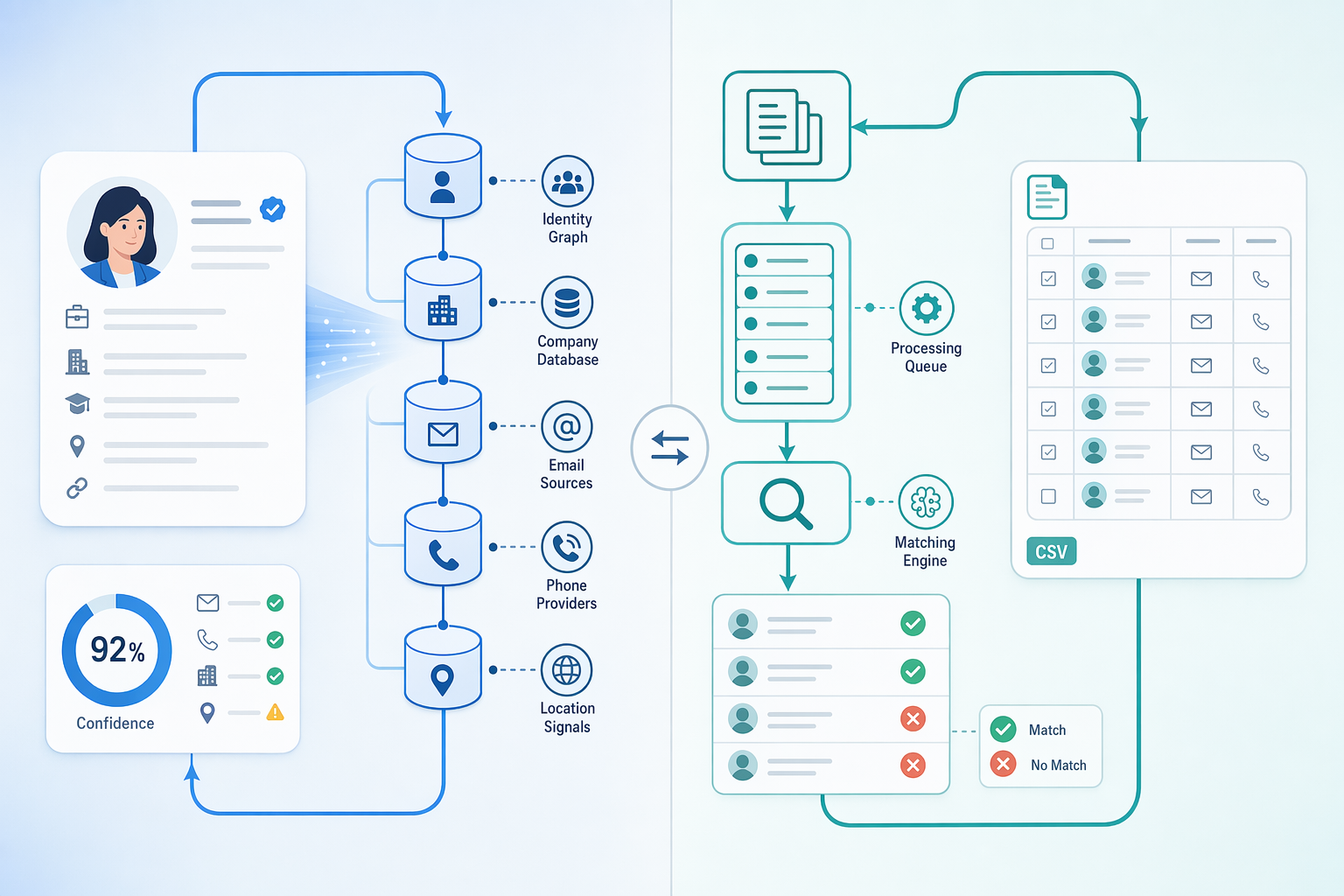
LinkedIn prospecting tools deliver contact data through two fundamentally different architectures: real-time enrichment and static database batch lookup. Understanding the distinction helps explain why some tools show confidence scores while others return binary match/no-match results.
Real-Time Enrichment Architecture
Real-time tools query third-party databases on-demand when you request a contact. They send a LinkedIn URL or profile identifier to a network of data partners, wait for responses, then aggregate the results and surface confidence indicators, email deliverability: 92%, phone line-type: mobile, before charging credits. This architecture enables tools to return probabilistic scores rather than simple yes/no answers. Because the lookup happens at query time, real-time systems reflect data partner updates immediately, maintaining higher accuracy as contact details change. The trade-off: each lookup incurs API latency (typically 2-10 seconds) and per-query cost.
Static Database Batch Lookup
Batch enrichment tools draw from periodically refreshed databases purchased in bulk. They download millions of contact records, index them locally, and serve lookups from that snapshot. Validation occurs after export: you receive a CSV, then the tool checks deliverability in a separate step. Batch systems offer sub-second response times and flat-rate pricing but accumulate accuracy drift between refresh cycles, contacts change employers, phone numbers churn, emails bounce.
Why Confidence Scores vs Binary Results
Real-time tools surface probabilistic confidence because they aggregate live signals from multiple data partners at query time. Batch tools deliver binary match/no-match results because they're serving a pre-validated snapshot. The architectural difference directly determines the output format: dynamic aggregation enables probabilistic scoring; static lookups produce deterministic answers.
With the architectural differences established, here are the eight platforms that handle verification across these two paradigms.
6 LinkedIn Prospecting Tools That Verify Before Download
Not all LinkedIn prospecting tools handle verification the same way. Some verify contact data in real-time before you commit credits, while others validate contacts after you've purchased or exported a bulk list. This difference matters when you're paying per contact and need to find accurate contact information quickly.

Pre-Download Verification Tools Overview
PeakAi, Lusha, and Kaspr verify phone numbers and emails in real-time, displaying confidence indicators before download. PeakAi runs syntax, domain, and deliverability checks before download, ensuring you only pay for contacts that meet your accuracy threshold. Lusha and Kaspr offer similar LinkedIn-native workflows, surfacing verified contact data directly from profiles. These tools help sales professionals close more deals by eliminating the risk of paying for unverified or outdated contacts.
Post-Export Enrichment Tools Overview
Apollo, ZoomInfo, Cognism, RocketReach, and LeadIQ operate differently: you export a list first, then the platform enriches and validates contacts in batch. Apollo offers a large searchable database with 230+ million contacts, while ZoomInfo and Cognism focus on enterprise-grade data coverage. RocketReach and LeadIQ integrate tightly with CRM workflows, syncing enriched contacts directly to Salesforce or HubSpot. The detailed comparison of pricing, accuracy rates, and workflow integration appears in the next section.
Comparison Table: Verification Method, Accuracy & Pricing
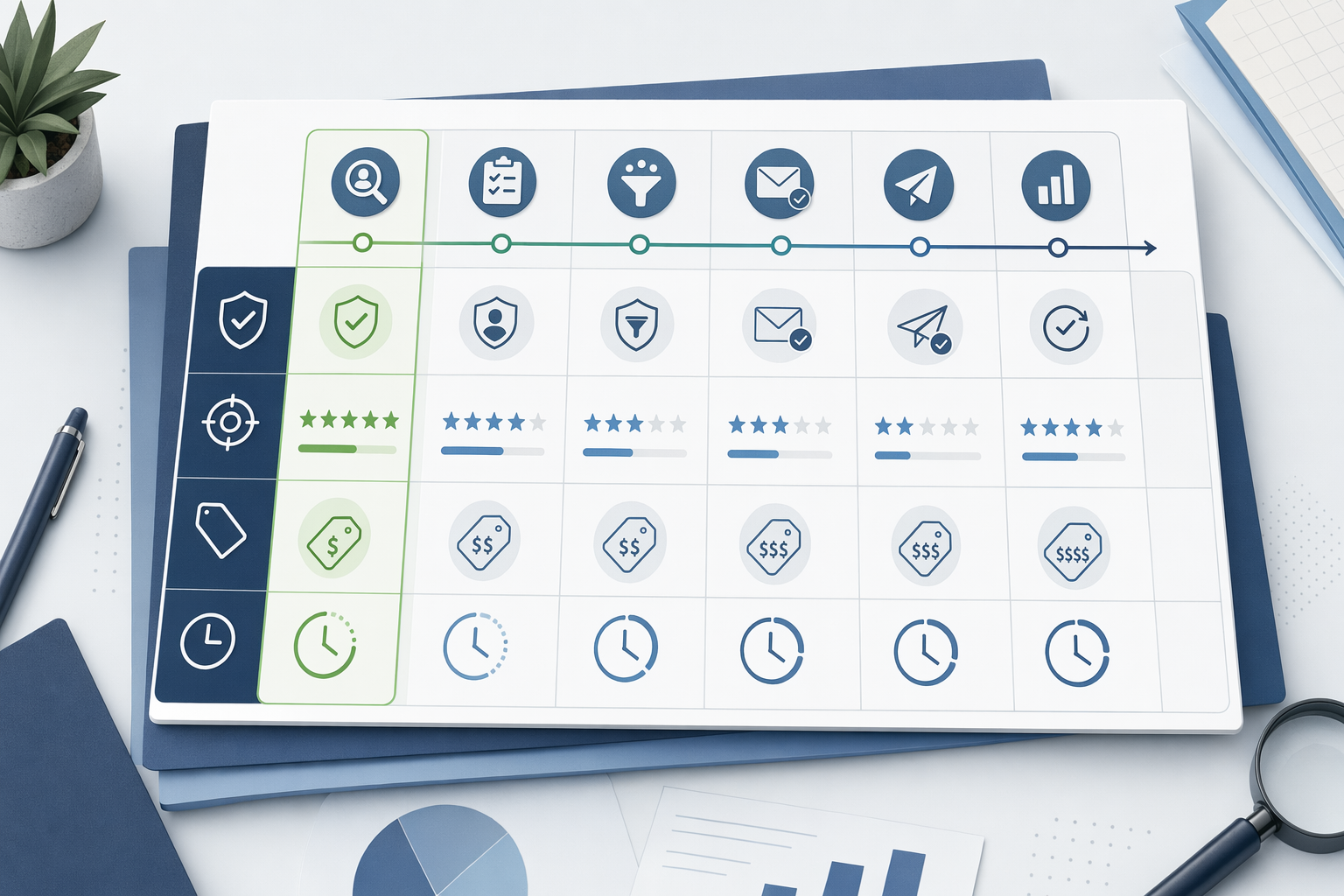
When evaluating LinkedIn prospecting tools, three decision axes matter most: *when* verification happens, how accurate the data is, and what the pricing model costs you per contact. The table below contrasts six platforms across these dimensions, with verification method as the primary sort, because knowing a number is valid *before* you spend a credit fundamentally changes your burn rate and confidence.
| Tool | Verification Method | Email Accuracy | Phone Accuracy | Pricing Model | Starting Price |
|---|---|---|---|---|---|
| PeakAi | Pre-download real-time | 91% | 91% | Pay-per-contact (credit-based) | $9 for 50 verified contacts |
| Lusha | Pre-download real-time | ~85–90% | ~80–85% | Credit-based + subscription tiers | Free tier (5 credits/month); paid plans contact vendor |
| Apollo | Post-export batch (database lookup) | ~82% | ~65–80% (US) | Subscription (includes credits) | Free tier (10,000 credits/year); Pro $49/month |
| RocketReach | Post-export batch (database lookup) | ~80–90% | ~70–85% | Subscription (includes lookups) | Essentials $53/month (170 lookups) |
| Kaspr | Pre-download real-time | ~85–90% | ~75–85% | Credit-based + subscription tiers | Free tier (10 credits/month); paid plans contact vendor |
| Hunter.io | Post-export batch (domain-based) | ~85–95% | N/A (email-only) | Subscription (request-based) | Free tier (25 searches/month); Starter $49/month |
Verification Method: Real-Time vs Batch
The 'Verification Method' column is the primary decision axis. Pre-download real-time tools (PeakAi, Lusha, Kaspr) query external databases *before* you commit a credit, displaying a confidence indicator in-browser. You see accuracy scores, line-type tags (mobile vs landline), and deliverability flags upfront. If the match is weak, you skip the contact and preserve your credit. Post-export batch tools (Apollo, Hunter.io, RocketReach) pull from static databases after you've already exported the list. You pay for the lookup whether the number works or not, credit burn rates of 50 to 65% for phone matches and 75 to 80% for emails are common across this category. For teams optimizing cost per *verified* contact rather than cost per *attempted* lookup, real-time verification cuts waste dramatically.
Accuracy Claims and Regional Coverage
Email accuracy across top-tier platforms ranges from 85% to 95% deliverability, with the spread reflecting regional coverage depth and data-source freshness. Phone accuracy is more variable: Western-market tools (Apollo, RocketReach) cluster around 65 to 80% in the US, while India-focused platforms (PeakAi) report 91% by cross-referencing local business registries and telecom databases. Kaspr and Lusha sit in the middle at ~75 to 85% phone accuracy, trading breadth for compliance-friendly EU coverage. Hunter.io provides no phone lookup, it's email-only via domain pattern inference. Regional gaps matter: Apollo's own data shows accuracy dropping to 70 to 80% email and below 65% phone outside North America and Europe, which surfaces as higher bounce rates for emerging-market campaigns. If your ICP is in India, Southeast Asia, or Latin America, verify that the tool sources from local registries rather than Western-biased aggregators.
Pricing Model: Credit-Based vs Subscription
Credit-based models (PeakAi, Lusha, Kaspr) charge per contact *revealed*. PeakAi's $9 for 50 verified contacts translates to $0.18 per number when match rates hit 91%. Lusha and Kaspr tier credits inside monthly subscriptions, you pay a base fee plus per-contact burns. Subscription models (Apollo, Hunter.io, RocketReach) bundle a fixed lookup allotment: Apollo's $49/month Pro plan includes credits for ~2,500 exports, but you burn credits on *attempted* lookups, not just successful matches. At 65% phone match rates, your effective cost per verified number climbs to ~$0.03 per contact for high-volume users, lower than PeakAi's per-unit rate, but the monthly commitment locks you in regardless of campaign cadence. Hunter.io charges by domain search rather than individual contact, making it cost-effective for bulk email discovery but irrelevant for phone-first workflows. For teams running intermittent campaigns or testing new ICPs, pay-per-contact avoids sunk costs; for high-velocity outbound at scale, subscription economics win if you consistently burn the full allotment.
LinkedIn Compliance and Automation Limits
LinkedIn imposes 30 to 40 daily action limits on profile visits, connection requests, and message sends. Real-time enrichment APIs (PeakAi, Lusha, Kaspr) comply by querying third-party databases via LinkedIn URLs as reference identifiers, never scraping profile HTML or automating in-platform actions. Post-export tools vary: Apollo and RocketReach pull from proprietary databases rather than live LinkedIn scrapes, keeping compliance risk low. Hunter.io infers emails from domain patterns with no LinkedIn interaction. The risk zone is tools that automate profile visits or connection requests to harvest contact fields, these violate LinkedIn's Terms of Service and trigger account suspension. For enterprise buyers, compliance extends beyond LinkedIn: GDPR in the EU and India's DPDP Act 2023 require explicit consent for processing personal contact data. Tools that source from opt-in business directories and public records (PeakAi's approach) carry lower regulatory risk than those scraping social profiles without user knowledge.
Ready to close more deals with verified contacts before you hit download? Explore affordable contact enrichment tools optimized for Indian B2B markets, or compare PeakAi's 91% phone accuracy against batch-verification alternatives to find the workflow fit that matches your outbound cadence and compliance requirements.
The three real-time verification platforms warrant deeper examination of their unique approaches to pre-download confidence scoring.
Pre-Download Verification: PeakAi, Lusha & Kaspr
Three tools stand out for real-time contact verification before download: PeakAi, Lusha, and Kaspr. Each surfaces accuracy signals differently, and pricing models vary from pay-per-contact to subscription tiers.

PeakAi: 91% Phone Accuracy with Real-Time Confidence Indicators
PeakAi delivers 91% phone accuracy with real-time confidence indicators before you commit a credit. The Chrome extension queries 200+ third-party databases and returns verified phone numbers and emails in 10 seconds. Pricing starts at ₹675 for 50 verified contacts, with a pay-per-verified-number model that charges only when verification succeeds.
Strengths: Transparency before credit burn; India-focused coverage across 1,600+ cities; credit-back guarantee when verification fails.
Limitations: Narrower global database breadth than Apollo or ZoomInfo; phone accuracy optimized for Indian B2B markets rather than Western enterprise contacts.
Best for: Teams prospecting in India or emerging markets who need verified mobiles and work emails tied to LinkedIn profiles, with transparent pricing in INR.
Lusha: Direct-Dial Phone Verification for B2B Sales
Lusha provides direct-dial phone enrichment with GDPR compliance for European markets. The Chrome extension pulls contact data from LinkedIn profiles and displays verification status before export. Pricing is subscription-based with tiered plans starting around $29/month per user.
Strengths: Strong EU data quality; browser-native workflow; enterprise CRM integrations.
Limitations: Subscription model charges even when verification rates drop; fewer India-specific validation features than PeakAi.
Best for: EU-focused teams needing GDPR-compliant direct dials with Salesforce or HubSpot sync.
Kaspr: LinkedIn Contact Extraction with GDPR Compliance
Kaspr appears in ZoomInfo's top-tool roundup for LinkedIn-native contact extraction. The extension shows email and phone verification confidence before download, with GDPR signals for European prospects. Pricing follows a freemium model with paid tiers for bulk enrichment.
Strengths: Free tier for individual prospectors; instant LinkedIn overlay; GDPR transparency.
Limitations: Phone accuracy varies by region; fewer CRM integrations than Lusha or PeakAi.
Best for: Solo prospectors or small teams needing quick LinkedIn contact checks with EU compliance markers.
Ready to Transform Your Sales Process? See how PeakAi delivers verified contacts before you download.
On the opposite end of the workflow spectrum, batch enrichment tools prioritize volume economics over individual contact confidence.
Post-Export Enrichment: Apollo.io, Hunter.io & RocketReach
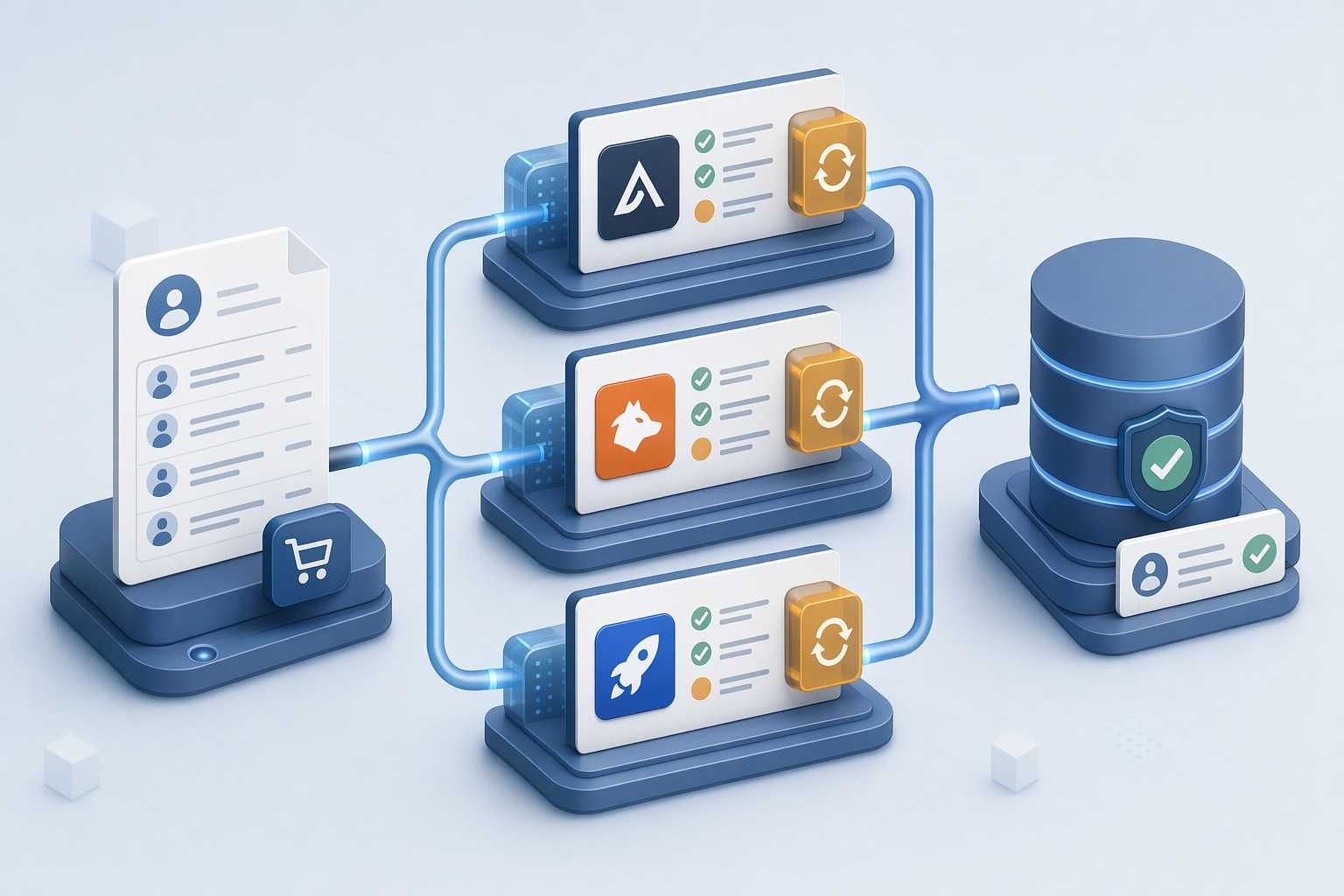
Post-export enrichment tools follow a batch validation model: purchase a list first, then validate contacts afterward. This approach contrasts with pre-download tools that surface confidence indicators before you commit credits. Because contact data decays roughly 2% per month, slower refresh cycles mean accuracy drops to 75% within five months, compounding waste risk for batch-purchased lists.
Apollo.io: Budget Lead Enrichment with Prospecting Included
Apollo positions itself as a searchable database with 230M+ verified contacts and 65+ precision filters. Pricing starts at free (10,000 credits/year), with paid plans from $49/month. Accuracy in India runs lower than the global average, expect 70 to 80% email accuracy versus 85 to 90% in the US, and phone numbers are particularly unreliable. Best for teams that need volume and can tolerate moderate accuracy variance across regions.
Hunter.io: Email Finding and Verification Workflow
Hunter specializes in domain-based email lookup and verification at scale. It surfaces pattern-matched emails from company domains, then verifies deliverability before export. Pricing is credit-based, with verification consuming fewer credits than discovery. Hunter excels at email-only workflows but does not offer phone number enrichment. Best for marketing teams running email-first outreach campaigns where phone contacts are not required.
RocketReach: Email Accuracy at Mid-Market Pricing
RocketReach targets mid-market buyers with verified email and phone data across a global database. Pricing falls between budget tools like Apollo and enterprise platforms like Cognism. Phone coverage is broader than Hunter but email accuracy claims vary by region. Best for mid-sized sales teams that need both email and phone contacts without enterprise-tier budget.
For India-specific contact data, tools like EazyReach offer DIN-based director lookup and INR pricing with shared credit pools, features global databases like Apollo and Lusha do not provide for the Indian market.
Beyond feature comparisons, the decision between verification approaches maps directly to your team's operational priorities and risk tolerance.
How to Choose Based on Workflow & Compliance Risk
Workflow Fit: Real-Time Confidence vs Batch Economics
The choice between pre-download real-time verification and post-export batch enrichment hinges on whether your team prioritizes accuracy confidence or volume economics. Real-time tools like PeakAi, Lusha, and Kaspr show verification status *before* you commit credits, letting SDRs skip low-confidence contacts and preserve budget. You pay a higher per-contact cost (typically $0.18, $0.35 per verified number) but burn credits only on contacts that pass validation. Batch-enrichment platforms (Apollo, Hunter, RocketReach) charge lower per-contact fees ($0.05, $0.15) but require upfront list purchase; 2 to 25% of those contacts decay between list compilation and your download, creating waste you've already paid for. For teams that close more deals when phone accuracy is non-negotiable, real-time confidence signaling justifies the premium.

Compliance Risk by Tool Architecture
Compliance exposure maps directly to how a tool accesses LinkedIn data. Real-time enrichment APIs, PeakAi's real-time verification architecture queries third-party business databases using the LinkedIn profile URL as a reference identifier, never scraping profile fields or accessing LinkedIn's internal endpoints. This approach complies with LinkedIn's User Agreement, which prohibits automated bots from scraping web pages and warns that violations risk account suspension and legal exposure. Post-export tools that harvest contact data through profile crawlers or circumvent LinkedIn's rate limits trigger the platform's 30 to 40 daily action thresholds, raising compliance risk for GDPR-sensitive teams in the EU and organizations subject to India's DPDP Act. When choosing, ask: does the vendor query independent databases or scrape LinkedIn profiles directly?
Cost-Per-Usable-Contact Calculation
Headline pricing obscures true cost until you adjust for verification success and data decay. Credit-based pre-download platforms burn 50 to 65% of credits on phone lookups and 75 to 80% on email lookups when a match exists; the remaining 20 to 50% return 'no verified contact found' and refund or skip the charge. A 500-credit bundle at $90 ($0.18/credit) yields ~325 verified phones in practice, $0.28 per usable contact. Batch-purchased lists appear cheaper: 5,000 contacts at $0.10 each = $500. But contact data decays 2 to 3% monthly; a list compiled 6 to 12 months before your campaign carries 12 to 30% stale emails and disconnected numbers you've already paid for. Factor decay into your denominator: if 25% are unusable, your real cost is $0.13 per *usable* contact, narrowing the gap. For high-velocity sales teams, pre-download verification eliminates wasted outreach cycles; for nurture-focused campaigns with data-cleaning resources, batch economics still win.
Conclusion
Pre-download verification tools (PeakAi, Lusha, Kaspr) let you see contact accuracy before paying, while post-export enrichment platforms (Apollo, Hunter, RocketReach) offer lower per-contact list prices but include 2-25% unusable contacts due to monthly data decay. Real-time enrichment APIs comply with LinkedIn Terms of Service by querying third-party databases, whereas tools relying on automated scraping face higher compliance risk and LinkedIn's 30-40 daily action limits.
As AI-powered lead scoring integrates with real-time verification workflows, the distinction between pre-download and post-export tools will matter less for contact accuracy and more for workflow automation depth, teams who optimize for confidence signals today will have cleaner pipelines when predictive scoring becomes table stakes.
Try PeakAi's pre-download verification with real-time confidence indicators to see contact accuracy before charging credits, compare the workflow against your current post-export enrichment process.
Frequently Asked Questions
What does 'verify before download' mean in LinkedIn prospecting tools?
Pre-download verification means tools run real-time contact validation *during* prospecting, displaying confidence indicators before you burn credits. This contrasts with post-export batch validation where you purchase a list first, then verify afterward. LinkedIn hides most phone numbers (only 5-10% of users share them with connections ), so tools query third-party databases to bridge the gap.
Which LinkedIn prospecting tools verify contacts in real-time?
PeakAi, Lusha, and Kaspr verify phone numbers and emails before download using real-time enrichment APIs. They display accuracy signals (syntax, domain, deliverability) directly on LinkedIn profiles before you commit credits. Apollo, Hunter, and RocketReach operate differently: you export a list first, then the platform enriches and validates contacts in batch.
How accurate are pre-download verification tools for phone numbers?
Phone accuracy ranges from 65-91% depending on region and data source freshness. PeakAi claims 91% phone accuracy, while Apollo cites 65-80% for US contacts. LinkedIn restricts phones used for two-factor authentication from appearing on profiles, and only 5-10% of users share numbers with first-degree connections, forcing tools to rely on third-party databases.
Do post-export enrichment tools cost less per contact than real-time verification?
Post-export tools have lower per-contact list prices but higher waste rates due to 2-3% monthly data decay. Real-time tools charge only for verified contacts (50-65% phone match, 75-80% email match), so cost-per-usable-contact can be competitive. The choice hinges on whether your team prioritizes accuracy confidence or volume economics.
Are LinkedIn prospecting tools compliant with LinkedIn's Terms of Service?
Tools using real-time enrichment APIs (querying third-party databases) generally comply with LinkedIn ToS, while automated profile scraping is prohibited. LinkedIn imposes 30-40 daily action limits on profile visits, connection requests, and messages. Real-time enrichment APIs like PeakAi, Lusha, and Kaspr query external databases using LinkedIn URLs as reference identifiers without scraping profile HTML.
Why do some LinkedIn profiles show no phone numbers even with prospecting tools?
LinkedIn's privacy architecture hides most phone numbers by design, only 5-10% of users share numbers with first-degree connections. LinkedIn also restricts phones used for two-factor authentication from appearing on profiles at all. Prospecting tools bridge this gap via third-party databases, but coverage gaps persist, especially in emerging markets.
How often should I refresh contact data from LinkedIn prospecting tools?
Contact data decays at 2-3% per month. A 7-day refresh cycle maintains 98% accuracy versus 75% after five months. Recommend quarterly refreshes for active prospect lists, more frequent for high-value accounts. Pre-download verification tools query third-party databases in real time, cross-referencing multiple sources and displaying confidence scores directly on LinkedIn profiles or search results.
Sources
- How to Export Leads From LinkedIn Sales Navigator in 2026 - www.cleverly.co (2026)
- Top 10 Business Contact Finder Tools in India to Generate High-Quality Leads - businessinsight27.wordpress.com (2026)
- 15 LinkedIn Prospecting Tools That Cut Outreach Time by 50% - oppora.ai (2026)
- Email Finder Vs Full Contact... - lagrowthmachine.com
- 10 Best Sales Prospecting Tools for B2B Teams in 2026 - pipeline.zoominfo.com (2026)