
LinkedIn contact discovery tools extract professional email addresses and phone numbers from profiles, yet many sales teams experience high bounce rates and disconnected numbers despite purchasing verified contact databases.
Key Takeaways
- Bounced emails and wrong numbers stem from three root causes—LinkedIn's privacy restrictions (only 5-10% of users share phone numbers with first-degree connections), static database decay (2-3% monthly contact churn), and scraping-based tools that pull outdated or prohibited data.
- LinkedIn's platform architecture deliberately hides phone numbers through two mechanisms: privacy settings that limit visibility to 5-10% of first-degree connections and a 2FA security policy that blocks numbers used for authentication from ever appearing on profiles.
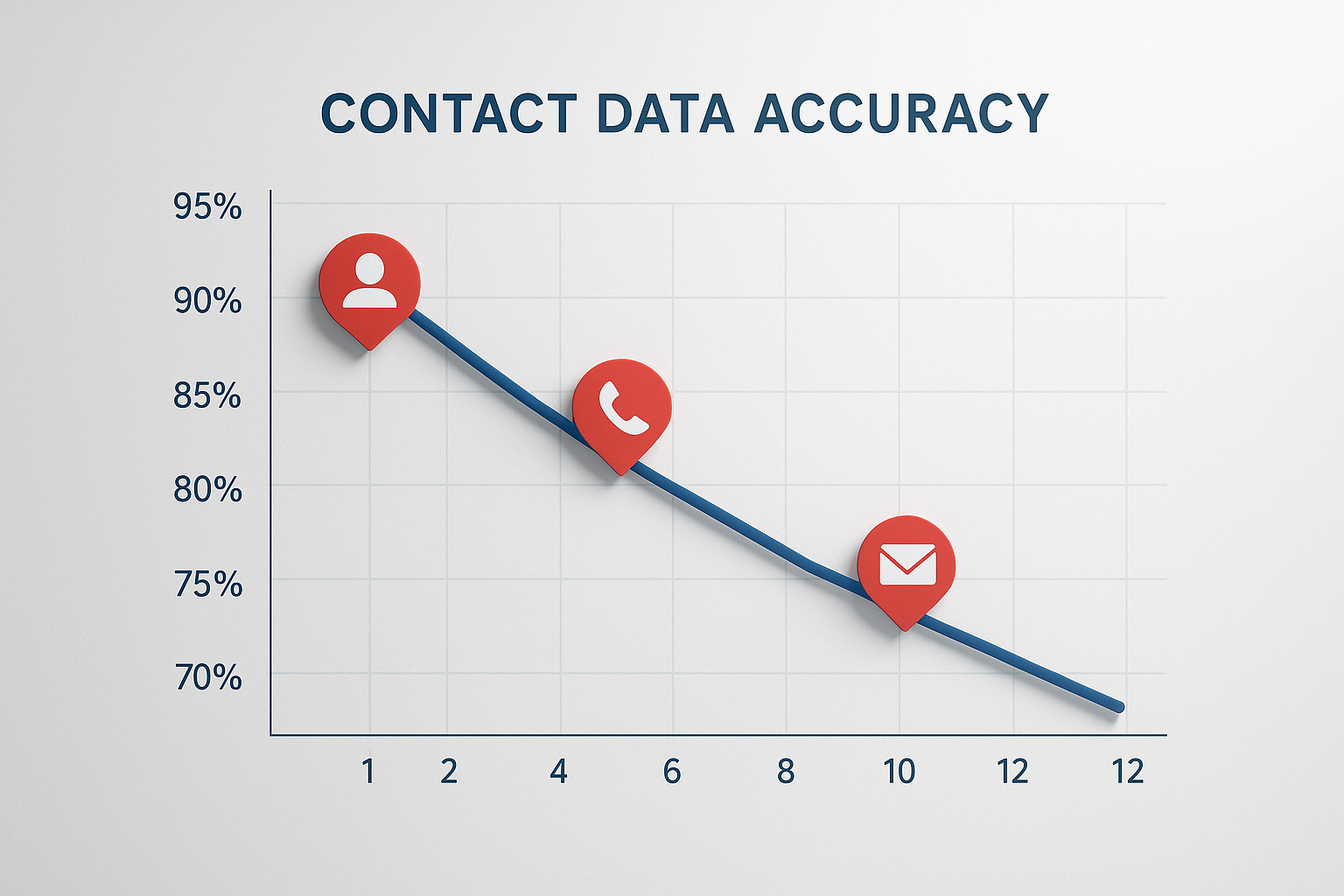
- Static contact databases deteriorate at 2-3% per month due to job changes, phone number reassignments, and email address updates—compounding to 25-30% accuracy loss over one year without continuous refresh cycles.
- Tools that scrape LinkedIn profiles directly violate the platform's Terms of Service and expose users to permanent account suspension, while compliant platforms source contact data from legitimate business databases and public records.
- Real-time multi-source verification systems cross-reference professional databases, public records, and business registries to deliver higher accuracy than single-source scraping or static database lookups.
Why LinkedIn Contact Discovery Tools Deliver Inaccurate Phone Numbers and Emails
Bounced emails and wrong numbers stem from three root causes—LinkedIn's privacy restrictions (only 5-10% of users share phone numbers with first-degree connections), static database decay (2-3% monthly contact churn), and scraping-based tools that pull outdated or prohibited data. Sales teams frequently assume LinkedIn email finder tools query the platform in real time, but most rely on cached or inferred contact information [1]. According to industry analysis, people often assume enrichment tools query LinkedIn in real time when in fact the majority use pre-compiled databases [2].
LinkedIn strictly protects user privacy through deliberate architectural restrictions. The platform limits contact field visibility based on connection degree and user consent. Even when users want to share their phone numbers, those used for two-factor authentication are permanently hidden from profiles due to security policies. This creates a structural data availability problem that no contact finder tool can solve through better scraping or pattern-matching algorithms.
The Three Root Causes of Contact Data Failure
Contact discovery failure occurs when tools encounter LinkedIn's privacy restrictions, rely on decaying static databases, or violate platform Terms of Service through direct scraping. Each cause produces distinct failure patterns. Privacy restrictions yield empty results or generic company switchboard numbers. Database decay delivers outdated contacts—previous employers, reassigned phone numbers, or abandoned email addresses. Scraping violations return inconsistent data quality and expose users to account suspension risk.
Lead enrichment tools may return a previous employer's phone number, an outdated title, or a guessed email format [3]. A 10-month-old email address or phone number from a previous role frequently appears in enriched records because static databases refresh on quarterly or annual cycles rather than real-time verification.
LinkedIn's Privacy Architecture: Why Most Phone Numbers Are Hidden by Design
Only 5-10% of LinkedIn users share phone numbers with first-degree connections, and less than 1% share with second- or third-degree connections. This visibility restriction is intentional platform design, not user error or incomplete profiles. LinkedIn's architecture prioritizes user privacy and network quality over data availability for third-party tools.
Two-Factor Authentication Number Blocking
LinkedIn restricts phone numbers used for two-factor authentication from appearing on profiles. Users who register a mobile number for account security cannot later share that same number in their contact information section, even when they explicitly want to. This security policy creates a permanent blind spot for contact discovery tools, the most current, verified phone number for a user is deliberately hidden from the platform's visible fields.
Connection-Degree Visibility Restrictions
First-degree connections see contact information only when users opt in through privacy settings. Second-degree and third-degree connections see almost no contact data regardless of user preferences. This tiered visibility model means contact finder tools operating at scale, searching hundreds or thousands of profiles, encounter mostly empty contact fields. Tools that claim high phone number coverage either use external databases unrelated to LinkedIn or fabricate contact information through pattern guessing.
The 2-3% Monthly Data Decay Problem in Static Contact Databases
Contact databases deteriorate at 2-3% per month due to job changes, phone number reassignments, email address updates, and company closures. This monthly decay rate compounds over time, a database with 95% accuracy at launch falls to roughly 70% accuracy after one year without continuous refresh. Static databases that update quarterly or annually cannot keep pace with the natural churn rate of professional contact information.
Job Changes and Email Address Abandonment
Professionals change jobs every 2-4 years on average, and each transition invalidates their previous work email address. Corporate email accounts are typically deactivated within 30-90 days after an employee leaves. Contact databases that cache email addresses without continuous verification deliver bounced messages to these abandoned accounts. Phone numbers exhibit similar churn, mobile numbers are reassigned to new subscribers within 90 days of disconnection, and landline numbers follow comparable reassignment timelines.
Why 90-Day Refresh Cycles Matter
Phone number verification quality matters more than database size, 90-day refresh cycles prevent contact decay by re-validating records before they become stale. Tools that advertise database size in hundreds of millions of contacts without disclosing refresh frequency often deliver lower accuracy than smaller databases with continuous verification. A database of 50 million contacts refreshed every 90 days outperforms a database of 300 million contacts refreshed annually.
How Scraping-Based Tools Violate LinkedIn Terms of Service (and Risk Your Account)
LinkedIn's Terms of Service explicitly prohibit automated scraping. Platforms that crawl LinkedIn profiles directly, harvest contact data through bots, or circumvent rate limits violate these terms and expose users to permanent account suspension. This compliance risk extends to the sales professionals who install and use these tools, LinkedIn enforces violations at the account level, not just against the tool vendor.
The Legal Distinction Between Scraping and Multi-Source Verification
Scraping LinkedIn profiles, reading HTML content directly from profile pages via bots, violates platform policies. Querying third-party business databases using LinkedIn URLs as search keys does not. This legal distinction separates compliant contact discovery from prohibited scraping. Compliant tools source contact data from legitimate business databases, public records, corporate registries, and user-contributed directories that exist independently of LinkedIn. These tools may use LinkedIn profile URLs to match records across databases, but they do not extract data from LinkedIn's servers.
Account Suspension Risk for End Users
LinkedIn detects scraping through rate-limit violations, bot-like browsing patterns, and automated profile visits. When the platform identifies suspicious activity, it suspends the user account, not the tool vendor. Sales professionals who rely on scraping-based tools for prospecting face permanent loss of their LinkedIn network, messaging history, and connection graph. This risk is non-recoverable; LinkedIn rarely reinstates suspended accounts even when users claim ignorance of the tool's methods.
Real-Time Multi-Source Verification vs. Static Database Lookups
Real-time multi-source verification systems cross-reference professional databases, public records, business registries, and corporate filings to validate contact information at the moment of query. This approach delivers higher accuracy than single-source scraping or static database lookups because it reconciles data from multiple independent sources rather than relying on a single pre-compiled dataset.
How Multi-Source Verification Works
Multi-source verification begins with a LinkedIn profile URL or name and company identifier. The tool queries external business databases, corporate registries, professional directories, public records, searching for matching records. When multiple sources return the same phone number or email address, confidence increases. When sources disagree, the tool prioritizes the most recently updated record or flags the contact for manual review. This triangulation method reduces reliance on any single data source and adapts to data decay by continuously refreshing from the most current available records.
Accuracy Comparison: Real-Time vs. Static Databases
Email accuracy rates vary dramatically across tools. Platforms offering real-time verified emails and phone numbers deliver materially higher accuracy than static database lookups [4]. Specialized platforms achieve accuracy rates around 91-98% for email addresses, while many traditional contact finders struggle to exceed 80% for phone number verification. The gap widens over time, tools with 90-day refresh cycles maintain accuracy, while annual-refresh databases deteriorate predictably at 2-3% per month.
| Verification Method | Email Accuracy | Phone Accuracy | Refresh Frequency | Compliance Risk |
|---|---|---|---|---|
| Real-time multi-source | 91-98% | 85-91% | Per-query (live) | Low (sources external databases) |
| Static database (90-day refresh) | 80-90% | 70-85% | Quarterly | Medium (depends on sourcing method) |
| Static database (annual refresh) | 65-80% | 60-75% | Yearly | Medium (depends on sourcing method) |
| Direct LinkedIn scraping | 50-70% | 40-60% | Ad-hoc | High (violates Terms of Service) |
Data sourced from manufacturer websites, third-party reviews, and industry reports as of May 2026.
How to Identify Compliant Contact Discovery Tools (Red Flags and Green Flags)
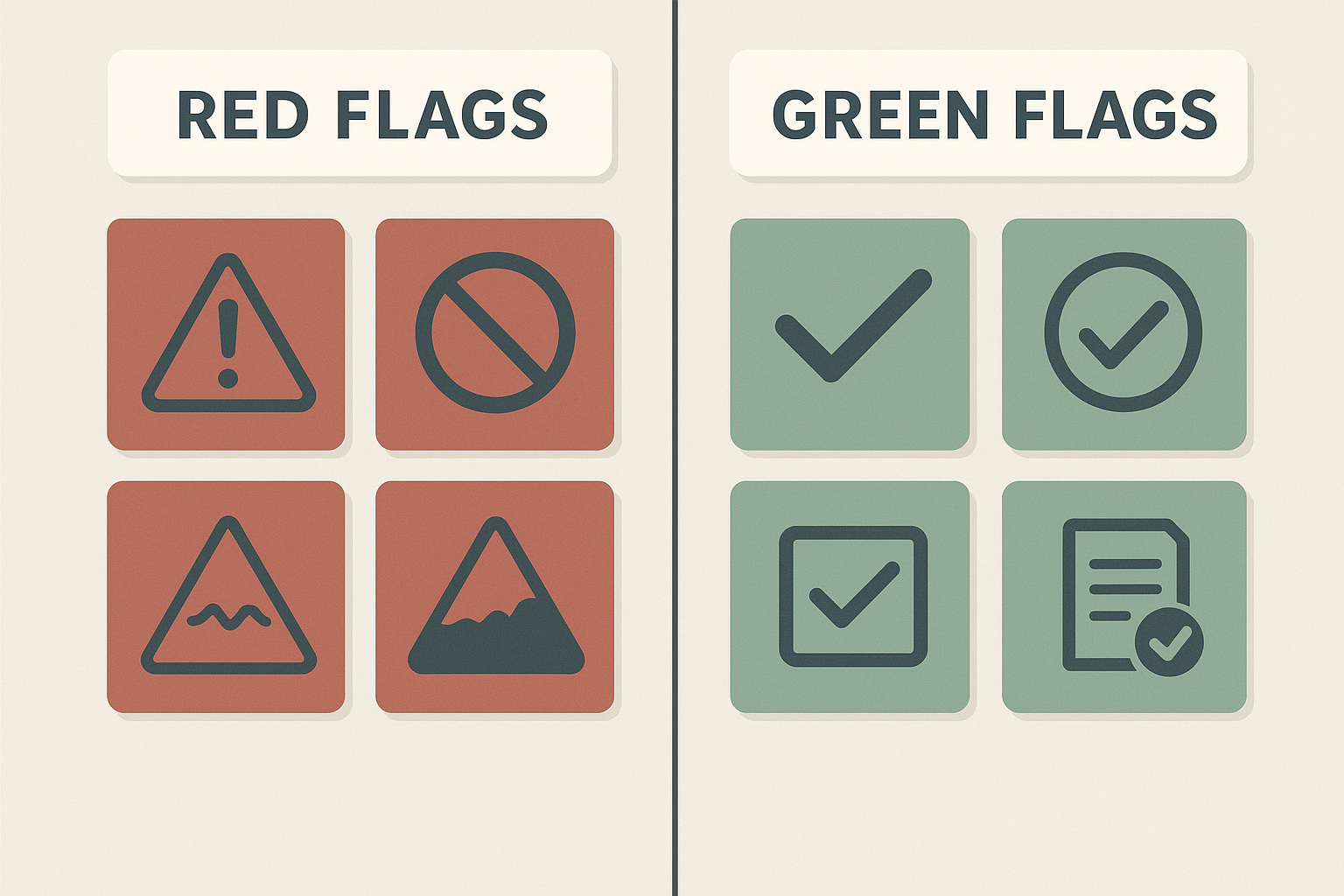
Sales teams can evaluate contact discovery tools using a compliance and quality checklist. Red flags indicate scraping violations, data decay risks, or deceptive accuracy claims. Green flags signal compliant sourcing, continuous verification, and transparent data practices.
Red Flags for Non-Compliant Tools
- Direct LinkedIn API access claims or Chrome extensions that automate profile visits, both violate LinkedIn's Terms of Service and increase account suspension risk.
- Unlimited contact credits or unrestricted bulk downloads, sustainable contact verification requires per-contact costs, so unlimited access suggests low-quality pattern guessing rather than real verification.
- No disclosure of data sources, compliant tools name the business databases, public records, or registries they query, while scraping tools remain vague about sourcing methodology.
- No credit refunds for incorrect data, tools confident in their verification accuracy offer refunds or replacement credits when delivered contacts bounce.
- Rate-limit circumvention features, any tool advertising the ability to bypass LinkedIn's request throttling is explicitly violating platform policies.
Green Flags for Compliant Tools
- Transparent sourcing disclosure, naming specific business databases, corporate registries, or public records as primary data sources rather than LinkedIn profiles.
- Credit refunds or replacement guarantees, policies that refund credits for bounced emails or disconnected phone numbers signal confidence in verification quality.
- 90-day or continuous refresh cycles, explicit commitments to re-validate contact records on a quarterly or per-query basis to prevent data decay.
- Pay-per-verified-contact pricing, cost structures that charge only for successfully verified contacts rather than flat subscriptions with unlimited access.
- No LinkedIn automation claims, tools that explicitly state they do not automate LinkedIn profile visits, scraping, or connection requests.
According to JuiceBox, contact-finding tools allow recruiters to source email addresses and phone numbers from LinkedIn, company websites, and other professional networks [5]. The best recruiters maintain consistent prospecting systems rather than relying on single-tool solutions.
FAQ: Common Questions About LinkedIn Contact Data Accuracy
Ready to Transform Your Sales Process?
Join thousands of sales professionals using real-time contact verification to reduce bounce rates and close more deals. Prioritize tools with transparent sourcing, 90-day refresh cycles, and credit refunds for incorrect data. Compliance-first platforms that source from legitimate business databases rather than scraping LinkedIn protect your account while delivering higher accuracy. Start by auditing your current contact finder tool against the red flag and green flag checklist, if your tool exhibits three or more red flags, evaluate compliant alternatives before risking account suspension.
Add to Chrome - Free
Frequently Asked Questions
Why are my LinkedIn contact discovery tools giving me so many bounced emails and wrong numbers?
Bounced emails and wrong numbers stem from LinkedIn's privacy restrictions (only 5-10% of users share phone numbers with first-degree connections), static database decay (2-3% monthly contact churn), and scraping-based tools pulling outdated or prohibited data. Most tools rely on cached databases that deteriorate over time rather than real-time verification [1].
What percentage of LinkedIn users actually share their phone numbers publicly?
Only 5-10% of LinkedIn users share phone numbers with first-degree connections, and less than 1% share with second- or third-degree connections. This visibility restriction is intentional platform design to protect user privacy, not incomplete profiles or user error.
Do LinkedIn contact finder tools scrape LinkedIn profiles directly?
Many contact finder tools scrape LinkedIn profiles directly, violating the platform's Terms of Service and exposing users to permanent account suspension. Compliant tools source contact data from legitimate business databases and public records rather than LinkedIn's servers [6].
How quickly do contact databases become outdated?
Contact databases deteriorate at 2-3% per month due to job changes, phone reassignments, and email updates. A database with 95% accuracy at launch falls to roughly 70% accuracy after one year without continuous refresh, making 90-day refresh cycles critical for maintaining quality.
What is the difference between real-time verification and static database lookups?
Real-time verification cross-references multiple business databases, public records, and corporate registries at the moment of query, achieving 91-98% email accuracy. Static database lookups rely on pre-compiled datasets that decay over time, delivering 65-90% accuracy depending on refresh frequency [7].
Can I get my LinkedIn account suspended for using contact discovery tools?
Yes. Tools that scrape LinkedIn profiles directly, automate profile visits, or circumvent rate limits violate LinkedIn's Terms of Service and can result in permanent account suspension. LinkedIn enforces violations at the user account level, not just against tool vendors.
Best contact finder tool for high accuracy LinkedIn email and phone number discovery?
The best contact finder tools use real-time multi-source verification, offer credit refunds for incorrect data, and source from legitimate business databases rather than scraping LinkedIn. Prioritize platforms with 90-day refresh cycles and transparent sourcing disclosure to maintain 90%+ accuracy rates.
Sources
- 10 Best LinkedIn Email Finder Tools for Sales Teams in 2026 - pipeline.zoominfo.com (2026)
- Lead Enrichment Tool: Turn Raw Leads Into Complete Profiles (2026) - crustdata.com (2026)
- B2B Lead Enrichment: Everything You Need to Know in 2026 - syncgtm.com (2026)
- SalesQL | LinkedIn Email Finder & AI Prospecting Tool - salesql.com
- 10 Best Contact Finder Tools for Recruiters (in 2026) - juicebox.ai (2026)
- Best Contact Finding Tools for B2B Sales Teams in 2026 - lagrowthmachine.com (2026)
- Getting Started with B2B Lead Research Techniques - getdatabees.com (2025)